Category: Shopping from China Guide

Best Taobao Agents in 2025: Full Comparison Guide

For global shoppers looking to access Chinese products, a Taobao agent is a crucial middleman. These agents simplify international buying from platforms like Taobao, JD, and 1688 — handling everything from purchase to shipping. In 2025, as more consumers across Europe and the world look for affordable, quality goods from China, Taobao agents have become more vital than ever.

How Taobao Agents Simplify Cross-Border Shopping

Shopping directly on Taobao can be tricky for overseas buyers — the site is in Chinese, many sellers don’t ship internationally, and payment gateways often require Chinese accounts. That’s where Taobao agents step in. They help you find the right product, buy it on your behalf, consolidate shipments, and deliver right to your doorstep — all while handling customs and import duties.

Why Taobao Agents Remain Crucial in 2025

In 2025, Taobao agents are more than middlemen — they’re global logistics experts. They offer Delivered Duty Paid (DDP) services, live parcel tracking, and even warehouse storage. Whether you’re a student in France or a business in the UK, these agents make Chinese eCommerce easily accessible.

How Taobao Agents Work: Step-by-Step Process

A Taobao agent acts as your local buyer in China. Here’s how it typically works:

  1. Search and Purchase – You submit product links from Taobao or 1688.
  2. Agent Buys and Inspects – The agent purchases, checks for quality, and stores the item in a warehouse.
  3. Consolidation and Packing – Multiple orders can be combined to reduce shipping costs.
  4. International Shipping – You choose air, sea, or truck delivery.
  5. Doorstep Delivery – The parcel arrives at your location with all duties prepaid.

With innovative logistics and customer-centric technology, modern agents offer a seamless and secure shopping experience.

Criteria for Ranking the Best Taobao Agents in 2025

Choosing the best Taobao agent requires careful evaluation. Our rankings are based on the following:

Shipping Speed and Reliability

Fast delivery is critical for overseas buyers. Agents like GoNest and Wegobuy offer multiple delivery options from express air to economical sea freight.

Pricing Transparency and Value for Money

Transparent fee structures — including service charges, storage, and shipping — help users avoid hidden costs.

Customer Support, Language Options, and Platform Usability

A user-friendly platform with English support, easy communication, and responsive service ensures smooth transactions.

Top 5 Best Taobao Agents in 2025: Detailed Comparison

#1. GoNest (雁巢集运) – Best Overall Logistics and Smart Fulfillment

Features, Pricing, and Global Network

GoNest (official site: gonest.ai) is a global logistics platform specializing in cross-border eCommerce. With a mission of “China to World, Delivered with Trust,” it connects Chinese sellers with buyers in over 200 countries.

It supports Taobao, JD, and 1688 purchases and integrates procurement, storage, and shipping into one digital system.

Europe Shipping Options

Shipping MethodAvg. DeliveryPrice (RMB)Service Features
Air General Cargo8–15 days¥157.50/kgFree Insurance, DDP, Door-to-Door
Air Special Cargo8–15 days¥166.50/kgFree Insurance, DDP
Truck Freight25–35 days¥39/kgDDP, No Surcharges
Sea Freight45–60 days¥750/21kgDDP, Door-to-Door

GoNest offers smart tracking, real-time warehouse visibility, and no category surcharges, making it ideal for both individual and corporate buyers.

Advantages

  • Global network covering 200+ regions
  • Free insurance on all routes
  • Automated consolidation system for cost reduction
  • Excellent for Taobao agent Europe buyers

In-Depth Look at GoNest: A Global Taobao Agent Leader

Company Overview: “China to World, Delivered with Trust”

GoNest (雁巢集运) is redefining how international shoppers experience Chinese eCommerce. Rooted in the belief that “中国好物,全球必达” (“Chinese good products must reach the world”), the company aims to make high-quality Chinese goods easily accessible to global consumers.

GoNest’s platform provides a smart one-stop logistics solution, covering everything from purchasing and warehousing to cross-border delivery. Whether users are personal shoppers or businesses, they can expect a seamless end-to-end service.

With operations spanning 200+ countries, GoNest has handled millions of parcels, making it one of the most recognized names among Taobao agent Europe users.

Smart Logistics Technology and Real-Time Tracking

GoNest employs intelligent logistics systems that enhance transparency and reliability. Customers can:

  • Track shipments in real time
  • Combine multiple orders into one package to reduce cost
  • View warehouse check-in images before shipping
  • Access predictive delivery times using AI analytics

The platform also supports DDP (Delivered Duty Paid) shipping, ensuring there are no hidden customs surprises upon arrival.

Comparison of GoNest’s Europe Shipping Methods

GoNest offers four key routes for European customers, each catering to different priorities such as speed, cost, or cargo type.

Europe Air General Cargo Line

  • Delivery Time: 8–15 days
  • Base Price: ¥135.00/0.5kg
  • Additional Weight: ¥40.00/0.5kg
  • Total Estimate: ¥157.50 ≈ £15.75
  • Highlights: Fast delivery, Free Insurance, DDP, Door-to-Door

Europe Air Special Cargo Line

  • Delivery Time: 8–15 days
  • Base Price: ¥140.00/0.5kg
  • Additional Weight: ¥45.00/0.5kg
  • Total Estimate: ¥166.50 ≈ £16.65
  • Highlights: Ideal for electronics and fragile goods

Europe Route ② – Truck Freight Express

  • Delivery Time: 25–35 days
  • Base Price: ¥39.00/kg
  • Minimum Weight: 12kg
  • Total Estimate: ¥421.20 ≈ £42.12
  • Highlights: Economical for bulk shipments, DDP, no residential surcharges

China-Europe Sea Freight Dedicated Line

  • Delivery Time: 45–60 days
  • Base Price: ¥750/21kg
  • Additional Weight: ¥34.50/kg
  • Total Estimate: ¥675.00 ≈ £67.50
  • Highlights: Cheapest per kg for heavy goods

These options make GoNest one of the best Taobao agents for Europe, balancing affordability, reliability, and delivery speed.

Comparison Table: Best Taobao Agents in 2025

Taobao AgentBest ForAverage Delivery (Europe)Approx. Cost/kgUnique Features
GoNest (雁巢集运)Smart Logistics & DDP Shipping8–60 days (varies by route)¥39–¥166Smart tracking, Free insurance, DDP
SuperbuyPersonal Shopping10–20 days¥120–¥160Quality check photos, coupon system
WegobuyFast Air Shipping7–14 days¥150–¥180Real-time chat, multiple carriers
YoybuyBusiness Procurement15–30 days¥100–¥150Bulk handling, warehouse storage
BhinerBudget Shoppers20–40 days¥80–¥120Low service fees, basic tracking

How to Choose the Right Taobao Agent for Europe

Choosing the right agent depends on your goals, shipment size, and delivery expectations.

Key Factors: Speed, Cost, and Delivery Options

If you prioritize speed, choose an air route like Wegobuy or GoNest Air Cargo.
For budget-conscious buyers, GoNest Truck Freight or Sea Freight offer the best rates.

Evaluating Agents Based on Your Needs

User TypeRecommended AgentReason
Personal ShoppersSuperbuyBest balance of service and simplicity
Small BusinessesGoNestSmart logistics, transparent pricing
Bulk BuyersYoybuyGreat for high-volume orders
Budget BuyersBhinerAffordable shipping rates
Tech EnthusiastsWegobuySpecialized in electronics handling

Common Challenges When Using a Taobao Agent

Currency Conversion and Payment Methods

Some agents require payment in RMB or USD, which can lead to conversion fees. Look for agents that support PayPal, Visa, or global eWallets.

Customs Duties and Local Regulations

Agents offering DDP service (like GoNest) handle customs and duties upfront — ensuring your parcel arrives without extra fees.

Handling Returns and Damaged Packages

Reliable agents provide warehouse photos and offer refund or replacement support for damaged items before they’re shipped overseas.

Benefits of Using a Trusted Taobao Agent

Quality Assurance and Convenience

Taobao agents check each product before shipment, ensuring you get exactly what you ordered.

Better Shipping Consolidation and Lower Costs

By combining multiple items into one shipment, agents help customers save significantly on international freight.

Access to Chinese Market Exclusives

Taobao agents give foreign buyers access to exclusive brands and local deals that aren’t available internationally.

Is Taobao Agent Reliable? (Expert Analysis)

In general, Taobao agents are reliable — but not all are equal. The most dependable ones, like GoNest and Superbuy, offer transparent tracking, insurance coverage, and responsive customer support.

A trustworthy agent typically:

  • Provides proof-of-purchase receipts
  • Offers photo inspections
  • Has positive third-party reviews
  • Uses secure payment platforms

When these conditions are met, using a Taobao agent is safe and efficient.

Which Taobao Agent Has the Cheapest Shipping?

When comparing rates, GoNest’s Truck Freight and Sea Freight options are the most affordable for large parcels.
If you’re sending lightweight items, Bhiner may be cheaper per kg.
However, for balanced cost and speed, GoNest Air Cargo provides the best value.

Future of Taobao Agents: AI, Automation, and Global Logistics

The future of Taobao agents lies in automation and AI integration. Platforms like GoNest are already using:

  • AI-based shipment prediction
  • Dynamic route optimization
  • Smart warehousing

Additionally, sustainability trends are driving companies to use eco-friendly packaging and carbon-neutral shipping — aligning with Europe’s green logistics standards.

FAQs About Taobao Agents (2025 Edition)

1. What is the difference between a Taobao agent and a forwarding service?

A Taobao agent buys items on your behalf, while a forwarding service only ships goods after you buy them yourself.

2. How long does it take to ship from China to Europe?

Typically 8–60 days depending on the method: Air Freight (8–15 days), Truck Freight (25–35 days), Sea Freight (45–60 days).

3. Can I buy directly from Taobao without an agent?

Yes, but you’ll need a Chinese payment account and a local delivery address, which most overseas buyers don’t have.

4. Is GoNest suitable for bulk shipments?

Absolutely. GoNest’s truck and sea freight options are designed for bulk and business buyers, offering DDP and low per-kilogram costs.

5. Are Taobao agents safe for high-value purchases?

Yes, as long as you choose reputable platforms with photo verification and insured shipping.

6. What payment methods do most Taobao agents accept?

Most accept PayPal, credit cards, Wise, and Alipay for international convenience.

How to Buy on Taobao If You Live in the US

If you’ve ever scrolled through Taobao’s endless variety of products, you’ve probably wondered: Does Taobao ship to the US? The good news is yes—you can order from Taobao even if you live in the United States.

As of 2025, Taobao Global and third-party agents make it possible for U.S. shoppers to access millions of Chinese goods with door-to-door delivery. Whether you’re hunting for affordable tech gadgets, unique fashion, or collectibles, Taobao can deliver right to your doorstep.

Let’s break down exactly how to do it—step by step.

Step 1: How to Create a Taobao Account

Using the English Version of Taobao

Start by visiting world.taobao.com. It automatically translates most key pages into English. Click Register, and you can sign up with your email or mobile number.

Use your U.S. phone number for verification and confirm through the code sent to your device.

Verifying Your Account and Setting Shipping Address

Once your account is created, log in and go to Account Settings → Shipping Address.
Add your U.S. address in English. For “Country/Region,” choose United States.

This setup ensures your items are correctly routed through Taobao’s Global Consolidation and Shipping (CGS) system.

Step 2: Browsing and Searching for Products

Tips for Finding Products in English or Chinese

Use English keywords first. If results are limited, try Chinese translations using Google Translate. Example:

  • “Phone case” → 手机壳
  • “Laptop stand” → 笔记本支架

How to Identify Reliable Sellers

  • Look for stores with 4.8+ star ratings and high transaction volumes.
  • Read buyer reviews with photos.
  • Prefer sellers with the “Tmall” badge—these are verified official stores.

Step 3: Choosing the Right Shipping Method to the USA

US Express Air Freight – General Cargo (Fast & Reliable)

Delivery Time: 8–12 days
Base Weight: ¥167.00/0.5kg
Additional Weight: ¥55.00/0.5kg
Estimated Cost: ¥199.80 ≈ $27.97
Services: Free Insurance, DDP (Delivered Duty Paid), Fast Air Delivery, Door-to-Door

This is the best choice for everyday products and small electronics. It combines speed, reliability, and full insurance.

US Air Freight – Special Goods Dedicated Line

Delivery Time: 7–12 days
Base Weight: ¥168.00/0.5kg
Additional Weight: ¥60.00/0.5kg
Estimated Cost: ¥205.20 ≈ $28.72
Services: Free Insurance, DDP, Door-to-Door

Use this method for cosmetics, batteries, or restricted items that can’t fly via regular cargo.

US Express Sea Freight – General Goods Line

Delivery Time: 20–25 days
Estimated Cost: ¥130.50 ≈ $18.27
Best for: Medium-weight products or bulk orders.
Offers a balance between speed and cost with full DDP support.

US Economy Sea Freight – Bulk or Heavy Orders

Delivery Time: 30–35 days
Estimated Cost: ¥116.10 ≈ $16.25 per kg
If you’re buying furniture, tools, or multiple packages, this is the cheapest and most efficient option.

Cost Comparison: Air vs Sea Freight

Shipping MethodDelivery TimeEstimated CostIdeal For
Air Freight (General)8–12 days$27.97Fast orders
Air Freight (Special Goods)7–12 days$28.72Cosmetics, batteries
Express Sea Freight20–25 days$18.27Medium-size parcels
Economy Sea Freight30–35 days$16.25Bulk shipments

Step 4: Using a Taobao Agent (Alternative Option)

What Is a Taobao Agent?

A Taobao agent acts as your personal shopper. They purchase items on your behalf, consolidate them, handle shipping, and communicate with sellers in Chinese.

Popular Taobao Agents for US Buyers

  • Superbuy
  • Basetao
  • 42Agent
  • Bhiner

Agents often offer English support, photos of your packages, and discounted international shipping.

When Should You Use an Agent Instead of Direct Shipping?

If the seller doesn’t support international shipping, or you’re buying from multiple stores, use an agent. It simplifies the process and ensures customs compliance.

Step 5: Payment Methods for US Buyers

Paying with Alipay and International Cards

Taobao accepts Visa, Mastercard, and Alipay Balance.
To link a card:

  1. Go to My Taobao → Account Settings → Payment Methods.
  2. Add your card and verify identity using SMS or ID.

Alternative Payment via Taobao Agents

Some U.S. banks block Chinese transactions. If that happens, pay your Taobao agent in USD via PayPal, Wise, or credit card—they handle RMB payments for you.

Step 6: Tracking, Delivery, and Customs (DDP Explained)

Delivered Duty Paid (DDP) and Door-to-Door Services

All official Taobao and GoNest routes include DDP, meaning taxes and customs fees are prepaid. This guarantees no surprise fees on arrival.

Tracking Your Package from China to the US

You’ll get a tracking number once shipped. Use:

  • Taobao’s official tracking page, or
  • 17Track.net for multi-carrier updates.

Is It Safe to Buy on Taobao from the US?

Shopping on Taobao from the U.S. is generally safe and reliable—especially when you take a few smart precautions.
The platform offers buyer protection, authentic product guarantees, and refund options for eligible orders. However, safety largely depends on your choice of sellers and shipping partners.

Avoiding Fake Sellers and Scams

  • Check seller ratings: Only buy from sellers rated 4.8 stars or higher.
  • Read reviews with images: Real buyer photos show product quality.
  • Avoid unrealistic prices: If the deal seems too good to be true, it probably is.
  • Look for “Tmall” stores: These are verified, brand-backed sellers.

Using Taobao’s Buyer Protection System

If an order doesn’t arrive or differs from the description, open a dispute within the Taobao platform. Most refunds are resolved within 7–10 days. Taobao also provides free insurance coverage through most U.S. shipping lines like GoNest.

Common Pitfalls and How to Avoid Them

Even though Taobao is accessible from the U.S., beginners sometimes face a few hurdles. Let’s look at how to sidestep them easily.

Language Barriers and Translation Errors

Taobao is primarily in Chinese, so translation errors can happen. Use:

  • Google Translate extension for Chrome.
  • The Taobao app (set language to English in settings).

If unsure about product details, ask the seller using Taobao chat—or get a Taobao agent to communicate on your behalf.

Product Size and Compatibility Issues

Chinese size charts often differ from U.S. sizes. Always:

  • Check size guides carefully.
  • Read buyer photos and comments.
  • Ask sellers for measurements before ordering.

For electronics, ensure the voltage and plug type are compatible with U.S. standards.

Dealing with Restricted or Prohibited Items

Some items—like lithium batteries, liquids, and branded goods—have shipping restrictions. If your product falls into this category:

  • Choose the US Air Freight – Special Goods Line, or
  • Contact your shipping agent for confirmation before purchasing.

Frequently Asked Questions (FAQs)

1. Can you buy Taobao to America directly?

Yes, you can. Taobao Global Consolidation and Shipping (CGS) allows U.S. buyers to ship directly using official air and sea freight lines. If a seller doesn’t support direct shipping, use a Taobao agent such as Superbuy or 42Agent.

2. Can you get deliveries from China to the USA?

Absolutely. Taobao provides multiple shipping routes to the U.S., including:

  • Air Freight (8–12 days)
  • Express Sea Freight (20–25 days)
  • Economy Sea Freight (30–35 days)

Each comes with Delivered Duty Paid (DDP) service, so customs fees are prepaid.

3. Is it cheaper to use a Taobao agent?

Sometimes. Agents offer bulk shipping discounts, photo inspection, and custom repackaging. However, Taobao’s official system is usually more convenient for smaller orders.
For big or mixed-item shipments, an agent can save 10–20% on shipping.

4. How long does it take to ship from Taobao to the US?

Delivery time depends on your method:

  • Air Freight: 7–12 days
  • Sea Freight (Express): 20–25 days
  • Sea Freight (Economy): 30–35 days

These times include customs clearance and final-mile delivery.

5. What payment methods does Taobao accept?

You can pay using:

  • Alipay (linked to Visa or Mastercard)
  • UnionPay
  • Taobao agent payments via PayPal or Wise (USD → RMB)

All payments are secured through Alibaba’s escrow system, so your funds are protected until you confirm delivery.

6. Can I return items bought from Taobao?

Yes, but with conditions.
Returns within China are straightforward, but international returns are costly. If the product is defective or incorrect, apply for a refund or partial compensation through Taobao’s dispute center instead of returning it.

Conclusion: Shopping Smart on Taobao from the US

Buying on Taobao from the U.S. in 2025 is not only possible—it’s surprisingly simple when you know the right steps.

Here’s a quick recap:

  1. Create a Taobao account and set your U.S. address.
  2. Choose reliable sellers with high ratings.
  3. Select the right shipping line—Air for speed, Sea for savings.
  4. Use DDP to avoid customs headaches.
  5. Consider a Taobao agent for complex or bulk orders.

With a little preparation, you can safely order almost anything from China and have it arrive at your doorstep—insured, tracked, and duty-paid.

So, if you’ve been asking “does Taobao ship to us,” the answer is a confident yes. Start shopping, explore unique deals, and experience China’s e-commerce giant from the comfort of your home in the USA.

How to Fix USPS Tracking Problems Quickly

When your package seems stuck in transit or your tracking number doesn’t work, it’s frustrating. USPS tracking problems are common, but the good news is that most issues can be fixed quickly if you know the right steps. This guide explains why USPS tracking sometimes fails, what causes delays, and how to solve problems fast — including alternatives like GoNest Logistics for international shipping.

Understanding USPS Tracking Problems

Tracking systems aren’t perfect. USPS handles millions of packages daily, and glitches happen. Knowing what type of issue you’re facing is the first step toward a solution.

Common USPS Tracking Issues Explained

  • USPS tracking not updating for days – Your package may not have been scanned at each facility.
  • Package stuck in “In Transit” status – It could be moving but hasn’t been scanned at its latest location.
  • USPS tracking number not recognized – This usually happens when the number is new or entered incorrectly.

Why Is USPS Tracking Not Working?

Several factors can disrupt USPS tracking updates.

Technical glitches in USPS systems

Sometimes, USPS’s tracking system experiences temporary downtime or delays.

Weather and natural disaster delays

Severe storms, floods, or wildfires can prevent scans and cause unexpected shipping slowdowns.

Increased seasonal demand

Holidays bring a surge in mail volume, often overwhelming regional sorting centers.

Quick Solutions to USPS Tracking Problems

Instead of panicking, try these quick fixes:

  • Refresh and retry the USPS system – Wait a few hours and recheck your tracking number.
  • Use alternative USPS tracking tools – Apps like ParcelTrack or 17Track often show more detailed updates.
  • Contact USPS customer service – Call 1-800-ASK-USPS or use their online chat tool.
  • Submit a USPS Missing Mail search – If your package hasn’t moved in a week, file a request online.

What Causes USPS Delays This Week?

If you’ve noticed longer wait times recently, here are some reasons:

  • Regional facility backlogs – A surge of local packages can slow everything down.
  • Transportation and staffing shortages – Fewer trucks and employees mean slower delivery.
  • Customs and international mail delays – Packages entering or leaving the U.S. often face extra checks.

Step-by-Step Fixes for USPS Tracking Problems

Follow these steps for the best results:

  1. Verify the tracking number – Check for typos.
  2. Check the USPS service alerts page – Look for nationwide or regional disruptions.
  3. Contact USPS via phone or email – Provide your tracking number and mailing address.
  4. Submit an online help request – Use the official USPS website.
  5. Escalate with a Missing Mail claim – If nothing works, request USPS to investigate.

How to Prevent USPS Tracking Problems in the Future

  • Choose the right shipping servicePriority Mail and Express Mail get better tracking.
  • Package and label properly – Avoid smudged or damaged barcodes.
  • Use third-party logistics providers – Companies like GoNest Logistics offer more reliable tracking.

GoNest Logistics: A Reliable Alternative

When USPS tracking becomes too unreliable, GoNest Logistics is a smarter choice for international shipping.

International shipping made simple

We offer reliable shipping to multiple countries worldwide.

Transparent pricing for global routes

  • UK by air: £8.70 + £3.56/0.5 kg additional weight
  • UK by sea: £43.98 (up to 15 kg) + £3.26/kg additional weight

Why GoNest outperforms USPS for global deliveries

With superior service, competitive pricing, and detailed tracking updates, GoNest ensures your shipments arrive safely and on time.

👉 Check our international shipping prices here

GET IN TOUCH

Let us Send You a Quote

FAQs About USPS Tracking Problems

1. Why is USPS tracking not working?
It may be due to system glitches, delays in scanning, or incorrect tracking numbers.

2. What is causing the delay in mail?
Delays are often caused by regional backlogs, weather, or staffing shortages.

3. How long does USPS take to update tracking?
Most updates appear within 24 hours, but sometimes it can take several days.

4. What should I do if USPS says delivered but no package?
Check with neighbors, your local post office, and then file a Missing Mail claim.

5. Can USPS tracking be wrong?
Yes, occasional errors happen due to missed scans or incorrect updates.

6. How do I submit a Missing Mail request?
Visit the USPS website, go to the Missing Mail page, and fill out the online form.

GoNest Spreadsheet Review: Is It Worth Using?

In today’s fast-paced digital shopping world, online consumers seek reliability, convenience, and efficiency. The GoNest Spreadsheet is emerging as a powerful tool that simplifies online product discovery, offering users a neatly organized catalog of items across various categories—from T-shirts and shoes to sports equipment and furniture.

But is it truly worth using? This comprehensive GoNest Spreadsheet review breaks down its core functions, advantages, drawbacks, and genuine user experiences to help you decide whether it fits your shopping or reselling needs.

What Is the GoNest Spreadsheet?

The GoNest Spreadsheet is a curated digital list of products personally vetted by the GoNest team. Each item entry includes vital details such as product category, price, and a direct purchase link—allowing users to browse and buy confidently.

Unlike typical eCommerce websites, GoNest uses a spreadsheet interface to present verified product selections. This simple yet effective layout allows shoppers to quickly filter, compare, and choose products that meet their interests and budgets.

How Does the GoNest Spreadsheet Work?

The process is straightforward:

  1. Access the Spreadsheet: Users visit the GoNest platform and open the spreadsheet link.
  2. Explore Categories: Items are organized by category (T-shirts, shoes, furniture, etc.) for easier navigation.
  3. Review Prices and Links: Each product includes its purchase price and a direct buying link.
  4. Purchase Externally: Users complete their purchases through GoNest’s official buying website — gonestbuy.com.
  5. Shipping Support: Once purchased, GoNest handles packing, logistics, and transportation to the buyer’s country.

The spreadsheet integrates product listing and logistics seamlessly—creating an ecosystem that simplifies international shopping.

Key Features of the GoNest Spreadsheet

Categorized Product Listings

The GoNest Spreadsheet neatly classifies all products into clear categories, including fashion (T-shirts and shoes), sports products, and home furniture. This structure saves time for users and supports targeted browsing.

Verified Purchase Links and Pricing

Every product listed in the spreadsheet includes:

  • A verified purchase link
  • Accurate pricing information
  • Regular updates for out-of-stock or changed items

This ensures transparency and trustworthiness—two critical factors missing in many online lists.

Integrated Purchase and Shipping System

After finding a product, users can seamlessly transition to the GoNestBuy website for checkout. Here, they can add items to their cart, confirm shipping details, and even calculate their delivery cost.

GoNest’s Global Transportation Services

GoNest offers an end-to-end transportation service, which includes secure packaging and international shipping. Whether you’re located in Europe, Asia, or the Americas, the company ensures that your purchased items are delivered directly to your door.

Advantages of Using the GoNest Spreadsheet

Simplified Shopping Experience

The spreadsheet format keeps things clean and straightforward—no flashy ads, pop-ups, or distracting layouts. You can see everything in one place and move directly to the product link of your choice.

Trustworthy and Curated Product Selection

Each listed item has been reviewed and approved by the GoNest team, ensuring only reliable and high-quality options make it to the list. This vetting process gives users peace of mind when buying.

Seamless Purchase-to-Delivery Process

With GoNest managing the entire logistics chain, buyers don’t have to worry about complex shipping arrangements. The integrated system takes care of it all—from checkout to delivery tracking.

Potential Drawbacks of GoNest Spreadsheet

Limited Product Variety

While GoNest offers handpicked quality products, the current variety might be limited compared to massive marketplaces like Amazon or eBay.

Spreadsheet Format Usability

Some users may find the spreadsheet interface less visually appealing than traditional eCommerce platforms. It requires basic familiarity with spreadsheets to navigate effectively.

Dependence on External Links

Since purchases are completed on gonestbuy.com, users depend on external websites for payment and order management, which could be a slight inconvenience for those expecting a fully integrated platform.

How to Use the GoNest Spreadsheet Effectively

Step-by-Step Usage Guide

  1. Visit the GoNest official site and access the spreadsheet.
  2. Browse through categories like T-shirts, sports products, or furniture.
  3. Compare prices and click on your desired product link.
  4. Complete your purchase via the gonestbuy website.
  5. Provide your shipping details and confirm international delivery.

Using the Shipping Fee Calculator

GoNest’s Shipping Fee Calculator helps estimate delivery costs before purchase. By entering item weight, dimensions, and destination, users can get an accurate idea of what they’ll pay for shipping.

GET IN TOUCH

Let us Send You a Quote

GoNest Spreadsheet vs. Other Product Listing Platforms

Comparison with Amazon Wishlists and Google Sheets Trackers

Unlike Amazon’s automated recommendations or Google Sheets trackers, GoNest provides a curated list with verified links—ensuring every product is authentic and ready for purchase.

Why GoNest Spreadsheet Stands Out

  • Manually verified items
  • Built-in shipping support
  • Seamless purchase and logistics integration

These unique features give it a clear edge for international shoppers seeking a smooth buying process.

User Reviews and Feedback on GoNest Spreadsheet

What Users Love About It

  • Ease of navigation and product discovery
  • Transparent pricing and verified sources
  • Reliable global shipping through GoNest’s logistics service

Common Complaints and Suggestions

Some users have noted a need for:

  • A more mobile-friendly interface
  • Expanded categories and product counts
  • Real-time inventory updates

Still, the overall sentiment remains largely positive.

Expert Opinion: Who Should Use GoNest Spreadsheet?

Ideal for Online Shoppers and Global Buyers

Frequent international shoppers benefit most, as GoNest combines curated listings with direct transport.

Suitable for Product Researchers and Resellers

Those researching trends or sourcing inventory can use the spreadsheet as a trusted database of vetted products.

Is GoNest Spreadsheet Worth Using? (Verdict)

Absolutely—if you value transparency, simplicity, and reliability, the GoNest Spreadsheet is worth adopting. It bridges the gap between product selection and global shipping in one integrated system, making it especially valuable for international buyers and small business resellers.

FAQs About GoNest Spreadsheet

1. Is the GoNest Spreadsheet free to access?
Yes, users can freely browse the spreadsheet and explore product categories.

2. Can I buy directly from the spreadsheet?
No, purchases are completed through the official gonestbuy.com platform.

3. Does GoNest offer refunds or guarantees?
Refunds depend on the seller, but GoNest ensures all items are reviewed and verified before listing.

4. How accurate is the Shipping Fee Calculator?
It provides close estimates based on weight, dimensions, and destination.

5. Can businesses use the GoNest Spreadsheet?
Yes, it’s ideal for small businesses seeking verified international suppliers.

6. How often is the spreadsheet updated?
The GoNest team updates listings regularly to ensure accuracy and reliability.

The Future of Online Shopping with GoNest

The GoNest Spreadsheet redefines online shopping by merging curated selection with dependable logistics. While it’s not as extensive as mainstream eCommerce platforms, its simplicity, credibility, and convenience make it a strong contender for global buyers in 2025.

Hacoo Spreadsheet 2025: Full Review and User Guide

The digital workspace is evolving rapidly, and Hacoo Spreadsheet 2025 stands out as one of the most intelligent, feature-rich spreadsheet tools on the market. Whether you’re a business professional, data analyst, or student, this updated version promises faster performance, smarter formulas, and a seamless collaboration experience.

In this Hacoo Spreadsheet 2025 review, we’ll explore everything you need to know—from its innovative features to its real-world performance. You’ll also learn how to use it effectively, integrate it with the GoNest ecosystem, and calculate shipping costs effortlessly through their freight calculator.

What Is Hacoo Spreadsheet 2025?

Hacoo Spreadsheet 2025 is the latest version of the cloud-based spreadsheet software developed by Hacoo Technologies. Known for its user-friendly interface and powerful automation capabilities, this edition builds upon previous models to enhance productivity for both individuals and teams.

It integrates AI-driven automation, real-time editing, and an improved dashboard that simplifies complex data management. Designed for modern workflows, it bridges the gap between traditional spreadsheet tools and cutting-edge data platforms.

Why This Version Matters in 2025

The 2025 release introduces AI-assisted operations, improved cloud synchronization, and deep compatibility with GoNest and other business ecosystems. As more companies transition to remote and hybrid work, having an intelligent, collaborative spreadsheet solution has become essential. Hacoo Spreadsheet 2025 answers this call.

Key Features and Updates in Hacoo Spreadsheet 2025

Enhanced Interface and User Experience

The first thing users will notice is its sleek, minimalist interface. Navigation menus have been simplified, while the dark mode and responsive layout make it easier to work for long hours without fatigue.

Smart Formulas and AI-Powered Automation

Hacoo has introduced AutoPredict, an AI-powered tool that suggests formulas and automates repetitive tasks. It learns from your data behavior—saving hours of manual input.

Real-Time Collaboration and Cloud Sync

Teams can now co-edit spreadsheets simultaneously with no lag. The CloudSync 2.0 engine ensures that changes are updated instantly across all devices.

Data Visualization and Dashboard Integration

You can now create interactive charts, pivot tables, and dashboards in one click. These dashboards can also integrate with external analytics tools and business management software.

Security and Privacy Improvements

End-to-end encryption, two-factor authentication, and enhanced permission controls ensure your data stays protected—ideal for sensitive business operations.

How to Use Hacoo Spreadsheet 2025 Efficiently

Getting Started: Access and Hacoo Spreadsheet Link

To begin, visit the official Hacoo Spreadsheet link . You can create a free account or sign in using your existing credentials. The dashboard is intuitive—offering template shortcuts and collaborative workspace setup within minutes.

Importing and Managing Data

You can import data directly from Excel, CSV, Google Sheets, or databases. Hacoo automatically detects column formats, preventing alignment or data-type errors.

Using Templates and Automation Tools

Hacoo provides more than 300 customizable templates covering finance, inventory, marketing, and HR needs. Combined with automation tools, these templates can streamline repetitive reporting tasks.

Advanced Tips for Power Users

  • Use AI AutoTagging for category classification.
  • Apply Dynamic Conditional Formatting to visualize trends.
  • Integrate with GoNest Spreadsheet for extended analytics.

Hacoo Spreadsheet 2025 Review: Performance, Pros, and Cons

Performance and Speed Evaluation

Tests show that Hacoo Spreadsheet 2025 loads large files up to 40% faster than its previous version. Auto-saving and real-time syncing are smooth, even with multiple collaborators.

Advantages of Hacoo Spreadsheet 2025

  • AI automation reduces repetitive work
  • Smooth collaboration across devices
  • Cross-platform integration with GoNest tools
  • Beautiful visual dashboards for data storytelling

Limitations and Areas for Improvement

  • Offline functionality still limited
  • Some premium templates require subscription
  • Integration with third-party CRMs can be improved

Comparison: Hacoo Spreadsheet vs. Competitors

Key Feature Comparison Table

FeatureHacoo Spreadsheet 2025Google SheetsExcel 365GoNest Spreadsheet
AI Automation✅ Advanced⚙️ Basic❌ None✅ Advanced
Real-Time Collaboration✅ Yes✅ Yes⚙️ Limited✅ Yes
Dashboard Integration✅ Built-in⚙️ Add-ons⚙️ Add-ons✅ Built-in
Offline Use⚙️ Partial✅ Yes✅ Yes⚙️ Partial

When to Choose Hacoo Spreadsheet Over Others

If you value AI-assisted workflows, collaborative features, and cloud reliability, Hacoo Spreadsheet 2025 is an excellent choice.

Integration with GoNest Ecosystem

GoNest Spreadsheet and Product Recommendations

For users managing purchases or business logistics, GoNest Spreadsheet offers categorized product suggestions for clothing, furniture, and more—perfect for integrated planning.

Using GoNest Freight Calculator

To estimate shipping costs to the U.S., U.K., and Europe, use the GoNest freight calculator. It provides transparent pricing for international shipments—ideal for businesses importing or exporting goods.

GET IN TOUCH

Let us Send You a Quote

Buying Directly Through buy.gonest.ai

Visit buy.gonest.ai to purchase products directly. It simplifies the buying process with secure payments and real-time delivery tracking.

Hacoo Spreadsheet 2025 for Businesses and Professionals

Team Collaboration and Workflow Optimization

Businesses can assign roles, track changes, and automate report generation—improving team productivity.

Data Security for Corporate Users

Enterprise-grade security and role-based access controls make it safe for handling confidential business data.

Pricing, Plans, and Availability

Subscription Options and Free Trial

Hacoo offers a 14-day free trial and multiple subscription tiers:

  • Basic: Free (limited templates)
  • Pro: $9.99/month
  • Business: $19.99/month
  • Enterprise: Custom pricing

How to Access via Hacoo Spreadsheet Link

Access all plans through the official Hacoo Spreadsheet link on their website for the latest pricing and offers.

FAQs About Hacoo Spreadsheet 2025

  1. Is Hacoo Spreadsheet 2025 free to use?
    Yes, a free version is available with limited templates and collaboration features.
  2. Where can I find the Hacoo Spreadsheet link?
    Visit the official Hacoo website or search for “Hacoo Spreadsheet 2025 link” online.
  3. Can I import Excel or Google Sheets files?
    Absolutely! Hacoo supports XLSX, CSV, and Google Sheets import formats.
  4. How do I calculate shipping costs to the U.S., U.K., or Europe?
    Use the GoNest freight calculator to get accurate, real-time shipping estimates.
  5. Does Hacoo Spreadsheet 2025 work offline?
    Partial offline support is available, with full access expected in future updates.
  6. Is it secure for business use?
    Yes, it offers encryption and enterprise-grade security controls.

Conclusion: Is Hacoo Spreadsheet 2025 Worth It?

In summary, Hacoo Spreadsheet 2025 is a powerful upgrade packed with innovation. It’s ideal for users seeking intelligent automation, seamless collaboration, and robust analytics. While there’s room for improvement in offline mode, its AI-driven capabilities and smooth integration with GoNest make it a top contender in the spreadsheet landscape.

For professionals and teams ready to optimize their data workflows, Hacoo Spreadsheet 2025 is definitely worth trying.

GoNest Spreadsheet 2025: A Complete User Guide

Managing orders, tracking logistics, and calculating shipping expenses can quickly become overwhelming—especially for online sellers handling multiple categories and suppliers. That’s where the GoNest spreadsheet comes in.

The GoNest Spreadsheet 2025 is a powerful yet simple tool designed to help users track orders, record shipments, and organize expenses in one place. Whether you’re shipping T-shirts, shoes, sports gear, or furniture, this spreadsheet ensures every detail is neatly organized and easy to access.

What makes it even better? Every product listed within the GoNest system comes with a purchase link and verified quality, so you can buy with confidence.

What Is the GoNest Spreadsheet?

The GoNest Spreadsheet is an intelligent template created to simplify e-commerce logistics management. It’s not just a list—it’s a structured system that allows users to track purchases, record shipping progress, calculate fees, and analyze costs efficiently.

Unlike generic Excel or Google Sheets templates, GoNest Spreadsheet 2025 includes built-in formulas and automated tools for logistics tracking and cost management.

Why GoNest Spreadsheet 2025 Is Perfect for E-commerce and Parcel Forwarding

For international shoppers and small business owners, the GoNest spreadsheet bridges the gap between shopping platforms and shipping agents. Moreover, it ensures transparency—users can see exactly how much they’re spending on purchases, packaging, and freight.

It’s particularly useful for Taobao buyers or parcel forwarding agents who need to manage a high volume of shipments with accuracy and speed.

Getting Started with GoNest Spreadsheet 2025

How to Access and Set Up the GoNest Template

To begin, download the GoNest Spreadsheet 2025 template from GoNest’s official resources or cloud link. It works seamlessly with both Microsoft Excel and Google Sheets.

After opening the file, you’ll notice pre-made tabs for product categories, logistics, and expenses. Simply fill in your basic details like order number, courier name, and shipment status to get started.

Customizing the Interface and Categories

One of the best features of the GoNest Spreadsheet is customization. You can rename columns, add product categories, or insert new rows for specific logistics partners.

For example, if you often ship through SF Express, YunExpress, or 4PX, you can create quick-access cells for comparing rates and estimated delivery times.

Understanding the Main Categories in GoNest Spreadsheet

Managing T-Shirts, Shoes, Sports Products, and Furniture

The GoNest Spreadsheet organizes data by category, allowing for clear separation between product types. You can have distinct sections for:

  • T-Shirts: Sizes, colors, and quantities
  • Shoes: Brands, models, and sizes
  • Sports Products: Type, material, and warranty period
  • Furniture: Weight, dimensions, and shipping method

Each product type includes its own cost summary and shipping status tracker.

Adding Purchase Prices and Product Links

Each row in the GoNest Spreadsheet includes fields for purchase price and product link. This transparency helps users track spending and quickly revisit the seller’s page for verification or reordering.

Ensuring Product Quality with GoNest Verified Selections

All listed products have been carefully selected by GoNest, guaranteeing reliability and safety. Users can purchase confidently knowing that every item—whether clothing or furniture—meets GoNest’s internal quality standards.

Tracking Orders and Logistics Progress

Recording Tracking Numbers and Courier Details

You can input your tracking numbers directly into the spreadsheet. Once entered, the sheet automatically associates each shipment with its corresponding courier and estimated delivery date.

Monitoring Delivery Stages Automatically

GoNest uses conditional formatting to display each order’s progress:

  • 🟢 Delivered
  • 🟡 In Transit
  • 🔴 Delayed

This visual tracking system helps users instantly identify which orders need attention.

Handling Delays and Returns Efficiently

In case of delays, you can mark remarks or notes beside the shipment to record communication with the courier or seller. This organized record helps manage refunds and claims effectively.

Calculating and Managing Shipping Expenses

Using Built-in Shipping Fee Calculators

GoNest includes automatic formulas for calculating shipping fees. Simply input the weight, destination, and courier rate, and the spreadsheet will compute total shipping costs for you.

It eliminates manual errors and speeds up order management for frequent shippers.

Comparing Courier Rates and Delivery Times

Another highlight of GoNest Spreadsheet 2025 is its ability to compare shipping rates across couriers. This feature ensures that you’re always selecting the most cost-effective and time-efficient delivery option.

How to Reduce Costs Using the Expense Summary Feature

The expense summary section analyzes your total spending and shows where you can save. For example, you might discover that combining smaller packages or switching couriers could significantly lower your average shipping cost.

GET IN TOUCH

Let us Send You a Quote

Analyzing Your Order Data and Performance

Viewing Monthly Summaries and Trends

The spreadsheet automatically aggregates your monthly expenses, helping you visualize which categories perform best. It can also calculate average shipping times and profit margins by category.

Using Charts to Visualize Profit and Expenses

By enabling chart view, you can see pie charts, bar graphs, and line trends summarizing:

  • Total items shipped per month
  • Average cost per product
  • Courier performance comparison

These visuals make it easier to make data-driven decisions for your logistics strategy.

Advanced Tips for Power Users

Automating Data Entry with Macros and Scripts

For advanced users, GoNest supports macros and Google Apps Script automation. You can automate order imports, trigger updates for logistics statuses, or generate weekly reports automatically.

Sharing and Collaborating with Teams in Real Time

If you’re managing orders with a team, GoNest allows multi-user collaboration through Google Sheets. You can control permissions, enabling each member to manage specific categories or shipments securely.

FAQs About GoNest Spreadsheet 2025

1. What is GoNest Spreadsheet used for?

It’s used to manage, track, and organize online shopping and shipping data efficiently, combining logistics tracking and expense analysis in one tool.

2. Can I use GoNest Spreadsheet with Taobao orders?

Yes! It integrates perfectly with Taobao orders and other parcel forwarding systems.

3. Does GoNest calculate shipping fees automatically?

Yes. By entering package weight and courier rate, GoNest computes your total shipping fee instantly.

4. Are the products listed in GoNest verified?

Absolutely. All GoNest products are carefully selected and verified for quality and authenticity.

5. Can I customize the categories or design?

Yes, GoNest is fully customizable. You can add new product categories or adjust columns according to your business needs.

6. Is GoNest suitable for beginners?

Definitely. The GoNest Spreadsheet is beginner-friendly with clear instructions and automated calculations.

Why GoNest Spreadsheet Is the Future of Order Tracking

The GoNest Spreadsheet 2025 is more than just a shipping tracker—it’s a complete logistics assistant designed for accuracy, organization, and transparency. From recording purchases to tracking deliveries and managing costs, it gives users total control over their shipping workflow.

With verified products, real-time updates, and smart automation, GoNest Spreadsheet stands as the go-to tool for anyone looking to simplify logistics and boost efficiency in 2025.

CNfans Spreadsheet vs GoNest Spreadsheet – Which Is Better for 2025

Introduction: The Need for a Smarter Shipping Spreadsheet in 2025

As global e-commerce continues to grow, managing shipping orders efficiently has never been more important. In 2025, tools like the CNfans Spreadsheet and GoNest Spreadsheet are transforming how users handle parcel forwarding, shipping fee calculations, and order tracking.

However, with both platforms offering advanced features and regular updates, many users are left wondering — which spreadsheet is better in 2025? This guide compares both from a real user perspective to help you decide which tool suits your workflow best.

Why Shipping Spreadsheets Are Still Essential for Parcel Forwarding

Although automation tools and apps are everywhere, spreadsheets remain indispensable for sellers, shoppers, and forwarding agents. They provide flexibility, transparency, and full control over data.

Moreover, spreadsheets like GoNest Spreadsheet and CNfans Spreadsheet 2025 combine traditional simplicity with modern automation, enabling users to monitor costs, track logistics, and plan shipments — all in one place.

The Rise of GoNest and CNfans in Logistics Management

Over the past few years, CNfans and GoNest have become leading spreadsheet systems for international shoppers, particularly those ordering from platforms like Taobao. Both are known for offering parcel forwarding spreadsheets with cost calculators and real-time shipping updates.

However, their focus differs: CNfans Spreadsheet emphasizes community-driven data and shared experiences, while GoNest Spreadsheet focuses on curated accuracy, verified suppliers, and automation.

Overview of CNfans Spreadsheet 2025

Main Features and Interface Improvements

The CNfans Spreadsheet 2025 introduces an updated interface with better color coding, automatic rate imports, and editable product categories. Users can easily log multiple orders and see total costs without switching between pages.

Furthermore, it allows synchronization across devices, making it convenient for users managing several shipments at once.

CNfans Shipping Rates 2025 and Cost Tracking Accuracy

In 2025, CNfans improved its shipping rate accuracy, pulling live data from major logistics partners. The spreadsheet includes calculators for China Post, DHL, and SF Express, which helps users estimate shipping fees quickly.

However, some users report that data updates may lag during peak seasons, slightly affecting real-time accuracy.

Strengths: Integration and Community Support

One of CNfans’s strongest points is its active community. Users frequently share templates, macros, and updates, ensuring new users always have access to helpful resources. Meanwhile, integration with Taobao spreadsheets remains seamless.

Overview of GoNest Spreadsheet 2025

Key Tools for Tracking and Logistics Efficiency

The GoNest Spreadsheet 2025 has built-in automation tools for tracking parcels, monitoring shipping progress, and analyzing order performance. Unlike CNfans, GoNest’s focus lies in curated quality and verified product sources, reducing the risk of misinformation or calculation errors.

It’s particularly useful for businesses managing diverse categories — from T-shirts and shoes to sports equipment and furniture.

Real-Time Updates and Verified Purchase Links

One standout feature of GoNest is its real-time update mechanism, which syncs logistics status automatically. Moreover, each entry supports a verified purchase link, ensuring transparency from purchase to delivery.

Advantages for International Shipping and Multi-Category Orders

GoNest’s formula-driven structure makes it ideal for tracking multiple shipping channels simultaneously. It automatically calculates total costs, allowing you to compare different couriers side by side — a massive advantage for e-commerce exporters and parcel forwarders.

CNfans Spreadsheet vs GoNest Spreadsheet: A Feature Comparison

Interface Design and User Friendliness

When it comes to design, GoNest wins for simplicity and clarity. Its clean layout minimizes errors and reduces learning time. CNfans Spreadsheet, in contrast, offers more customization but can feel cluttered for beginners.

However, experienced users who love flexibility might appreciate CNfans’s adjustable tables.

Shipping Fee Calculator and Rate Accuracy

Both spreadsheets include built-in shipping calculators, but GoNest Spreadsheet provides faster and more precise results. Since its formulas are regularly updated, it minimizes discrepancies in total cost calculations.

Meanwhile, CNfans shipping rates 2025 rely heavily on user input and may require manual adjustments, making it slightly slower for real-time comparison.

Update Frequency and Customer Support Response Time

In contrast to CNfans’s community updates, GoNest Spreadsheet offers direct technical support and monthly updates. Therefore, GoNest ensures more reliable functionality throughout the year. CNfans, though active, depends on user-shared fixes and may experience slower issue resolution.

Performance and Real-World User Experience

Speed, Stability, and Compatibility Across Devices

When comparing performance, GoNest Spreadsheet is smoother and more stable on both desktop and mobile devices. Meanwhile, CNfans occasionally encounters lag when processing larger data sets.

However, both remain compatible with Excel and Google Sheets, making them versatile for different user preferences.

Automation and Time-Saving Tools Compared

GoNest stands out with automation. For example, it can automatically fill tracking columns or calculate average shipping time. CNfans lacks this level of automation, requiring users to manually update their data.

Therefore, GoNest saves more time — especially for sellers managing high volumes of orders.

Pricing and Value for Money

Subscription Models and Hidden Fees

Both CNfans and GoNest offer free templates, but GoNest’s premium version includes advanced features such as real-time tracking integration and enhanced cost summaries.

CNfans, on the other hand, stays free for most users but occasionally promotes paid add-ons for specific shipping calculators.

Which Spreadsheet Delivers More for the Price?

Overall, GoNest Spreadsheet offers a higher value proposition. While CNfans relies on user-shared updates, GoNest provides official support and curated supplier lists — justifying its slight premium for professional users.

Strengths and Weaknesses: GoNest vs CNfans

GoNest Spreadsheet: Pros and Cons

Pros:

  • Real-time logistics tracking
  • Verified supplier links
  • Intuitive interface
  • Reliable formula updates
    Cons:
  • Some advanced features require a subscription

CNfans Spreadsheet: Pros and Cons

Pros:

  • Highly customizable format
  • Free templates and active user community
    Cons:
  • Slower updates
  • Manual shipping calculator adjustments
  • Occasional lag with large datasets

Expert Analysis: Which Spreadsheet Is Better for 2025?

Ideal Use Cases for Each Platform

If you prioritize accuracy, automation, and verified data, the GoNest Spreadsheet is your best choice. However, if you value community flexibility and free access, CNfans Spreadsheet 2025 remains a reliable alternative.

Verdict: GoNest vs CNfans — Which One Wins in 2025

After reviewing both systems, GoNest Spreadsheet stands out as the more user-friendly and consistently updated option. Its advanced automation, clean interface, and real-time tracking tools make it ideal for users managing multiple parcels across platforms.

Meanwhile, CNfans still shines for beginners or users who enjoy customization, but GoNest ultimately wins in overall efficiency and long-term reliability.

GET IN TOUCH

Let us Send You a Quote

FAQs About GoNest and CNfans Spreadsheet 2025

1. Which spreadsheet is better for beginners?

CNfans Spreadsheet is more beginner-friendly due to its free access and active user community.

2. Which tool provides more accurate shipping cost calculations?

GoNest Spreadsheet provides more precise calculations thanks to its updated formulas and automated rate comparisons.

3. Does GoNest support parcel forwarding tracking?

Yes. GoNest includes a parcel forwarding spreadsheet designed to track multiple packages and compare courier rates efficiently.

4. Are CNfans shipping rates 2025 updated automatically?

Partially. Some rates are auto-fetched, but others rely on manual user updates, which can cause delays during peak seasons.

5. Which spreadsheet saves more time for frequent shippers?

GoNest saves more time due to automation and automatic synchronization with tracking systems.

6. Is CNfans Spreadsheet still worth using in 2025?

Yes, it remains valuable for casual users and small-scale sellers, though it may not match GoNest’s automation capabilities.

Conclusion: The Future of Parcel Forwarding Spreadsheets

In conclusion, both CNfans Spreadsheet 2025 and GoNest Spreadsheet offer strong functionality, but their focus differs. CNfans emphasizes user-driven updates and flexibility, while GoNest prioritizes automation, verified data, and real-time logistics management.

For 2025 and beyond, GoNest Spreadsheet proves to be the better choice for users seeking faster updates, more accurate shipping calculators, and smoother parcel forwarding experiences.

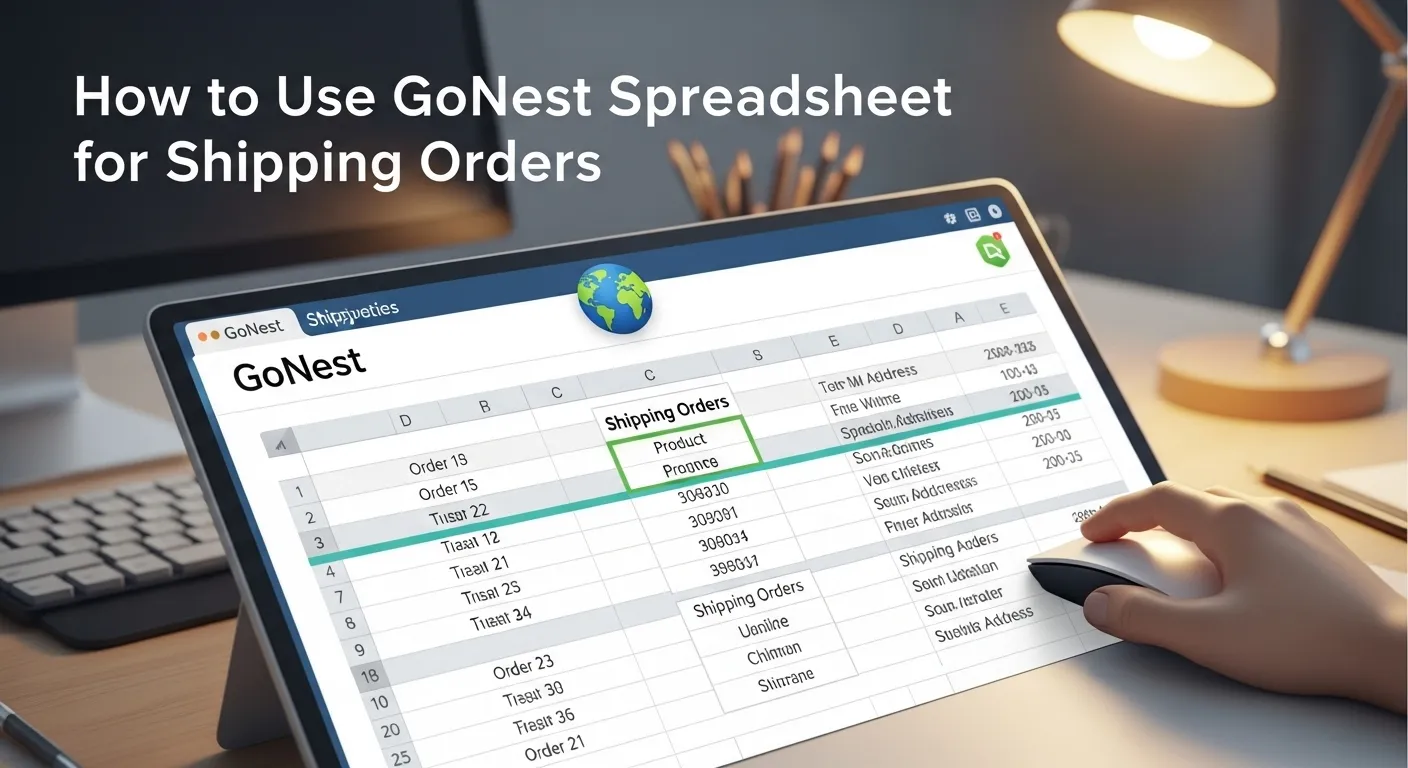
How to Use GoNest Spreadsheet for Shipping Orders

Introduction to GoNest Spreadsheet and Its Benefits

Efficient order management is the backbone of every successful e-commerce business. Whether you’re managing a Taobao store or shipping internationally, keeping track of orders, logistics, and costs can become overwhelming. That’s where the GoNest spreadsheet comes in — a powerful, user-friendly solution that helps you organize, track, and save effortlessly.

GoNest is more than just a spreadsheet; it’s a comprehensive order management tool designed for modern sellers. It allows users to record packages, monitor shipping progress, and even calculate shipping fees with precision. With GoNest, you can categorize your products — from T-shirts and shoes to sports products and furniture — ensuring every item is neatly organized and traceable from purchase to delivery.

What Is GoNest Spreadsheet?

The GoNest spreadsheet is an optimized table system created to simplify order and logistics management. It acts as your digital assistant, storing all vital information such as item category, purchase price, product link, delivery status, and shipping cost.

What makes it stand out is its integration with the Taobao spreadsheet, allowing easy imports of order data from Taobao sellers. GoNest helps users bridge the gap between multiple shopping platforms and shipping agents, offering a single place to manage it all.

Click here to view ths GoNest Spreadsheet: click here

Why Businesses Choose GoNest for Order Management

Businesses prefer GoNest because it eliminates manual work and reduces errors. With automated tracking formulas, customizable fields, and instant cost summaries, GoNest transforms raw data into actionable insights. Sellers can see how much they’re spending on each shipment and identify areas to cut costs — all without needing complex software.

Key Features of GoNest Spreadsheet

User-Friendly Interface and Category Organization

The GoNest spreadsheet comes with pre-built templates where categories like T-shirts, shoes, sports products, and furniture are already included. You can easily add, edit, or delete categories depending on your business type. Each category can include a purchase link, purchase price, and remarks — making product management effortless.

Real-Time Tracking for Packages and Logistics

GoNest integrates with major courier tracking systems. You can input tracking numbers, and the spreadsheet automatically updates the latest logistics status. Whether your shipment is “in transit,” “delayed,” or “delivered,” you’ll always stay informed.

Integration with Taobao Spreadsheet for Imports

If you frequently shop from Taobao, GoNest makes importing your Taobao spreadsheet a breeze. Simply upload your order list, and GoNest will automatically categorize products, calculate shipping fees, and track delivery progress.

Setting Up Your GoNest Spreadsheet for the First Time

Step-by-Step Installation and Template Access

To start, download the official GoNest spreadsheet template from the GoNest website or authorized source. Open it using Microsoft Excel or Google Sheets. Once opened, you’ll find ready-made tabs for categories, shipping costs, and logistics status.

Customizing Categories: T-Shirts, Shoes, Sports Products, and Furniture

GoNest’s flexible structure allows you to customize your tables based on the types of items you manage. For instance:

  • T-shirts: Track sizes, colors, and suppliers.
  • Shoes: Add fields for brands, models, and stock levels.
  • Sports products: Record specifications or material details.
  • Furniture: Include measurements, weight, and delivery method.

Each category tab includes an area for purchase price and purchase link, ensuring transparent and organized records.

Recording Product Information Efficiently

Adding Purchase Price and Product Links

GoNest helps users maintain accurate pricing records by providing dedicated fields for the purchase price and direct product link. This transparency helps users verify costs, return to the original seller if needed, and simplify refund or warranty claims.

Using GoNest’s Preselected and Verified Products

GoNest offers a curated list of verified suppliers and items. This means every product — from furniture to footwear — has been pre-checked for quality and reliability. Users can confidently purchase these items without worrying about counterfeit goods or poor-quality suppliers.

Tracking Logistics Status in GoNest Spreadsheet

How to Monitor Shipment Progress Automatically

Once you input a tracking number, the spreadsheet connects with logistics APIs or updates via manual entry. Each order row displays shipment progress, estimated delivery date, and courier name — allowing you to follow each package in real time.

Updating Delivery Stages and Handling Delays

GoNest lets you label delivery stages like “Purchased,” “Shipped,” “In Transit,” and “Delivered.” This visual organization helps identify delayed or lost packages quickly. You can also set color codes (e.g., red for delayed, green for delivered) for faster recognition.

Calculating Shipping Fees and Saving Costs

Using Built-In Formulas for Cost Estimation

GoNest simplifies fee calculations through built-in formulas. You can input package weight, destination, and courier rate, and the sheet automatically computes total shipping costs. It’s perfect for comparing different couriers before confirming shipment.

Comparing International and Domestic Shipping Options

If you handle cross-border e-commerce, GoNest lets you compare international vs. domestic shipping rates side by side. This ensures you choose the most economical route without compromising delivery speed.

Practical Tips to Reduce Shipping Expenses

  • Combine small packages to save bulk shipping fees.
  • Compare couriers regularly.
  • Use GoNest’s “Shipping Cost Analysis” tab to detect costly patterns.
  • Negotiate long-term courier discounts once you reach steady volume.

Analyzing Order Data and Performance

Understanding your data is key to improving efficiency and profitability. The GoNest spreadsheet provides tools to summarize and analyze your order performance, helping you make smarter business decisions.

Using Summary Tables to Track Profit and Expenses

GoNest includes pre-configured summary tables that automatically calculate profit margins based on your recorded purchase prices and shipping fees. Each time you input a new order, the system updates your:

  • Total cost per item
  • Total profit per category
  • Overall monthly expenses

These summaries allow you to identify which product categories — like T-shirts, sports products, or furniture — generate the most revenue and which might need pricing adjustments.

For example, if you discover that furniture items have higher shipping costs compared to profits, you can reconsider suppliers or shipping methods to increase margins.

Visualizing Data with Charts and Reports

GoNest isn’t limited to plain data. By integrating charts and pivot tables, you can easily visualize:

  • Monthly order volume
  • Average delivery time per courier
  • Shipping cost trends
  • Category-wise sales distribution

These visual insights turn complex data into actionable knowledge, helping businesses spot trends and forecast demand accurately.

Advanced Tips for Maximizing GoNest Spreadsheet Efficiency

Using Automation Tools for Order Management

GoNest supports automation through macros and scripts (for Excel or Google Sheets versions). You can set automatic updates for logistics statuses, generate weekly reports, or even send email notifications when certain shipments are delayed.

Automation ensures your spreadsheet works like a real-time dashboard, reducing the time spent on manual updates and improving overall workflow efficiency.

Linking Multiple Sheets for Team Collaboration

If you’re working with a team — for instance, one person handling purchases and another managing shipping — GoNest allows you to link multiple sheets.
Each team member can access only their designated tab, ensuring privacy and accuracy while maintaining a unified view of the entire operation.

For example:

  • The Procurement tab handles purchase details and Taobao links.
  • The Logistics tab tracks shipping progress.
  • The Finance tab calculates costs and profit margins.

This structure encourages collaboration and transparency, especially for businesses scaling operations.

Common Issues and How to Solve Them

Troubleshooting Errors in Formulas and Data Sync

Sometimes, users may experience formula errors or data synchronization issues. Common solutions include:

  • Checking for missing cell references or broken links between sheets.
  • Refreshing imported data from Taobao spreadsheets.
  • Ensuring all columns have consistent formats (e.g., currency, date, or text).

Regularly saving a backup version of your GoNest spreadsheet is highly recommended to avoid data loss during updates.

Ensuring Data Accuracy and Security

Since GoNest spreadsheets may contain sensitive information like purchase costs and supplier links, protecting your file is vital. Use password protection, limit sharing permissions, and store copies in secure cloud storage platforms like Google Drive or OneDrive.

Additionally, always verify imported Taobao data for accuracy to prevent calculation errors or misplaced orders.

GoNest vs. Traditional Spreadsheets (Excel, Google Sheets, Taobao Sheet)

Feature Comparison and Efficiency Analysis

FeatureGoNest SpreadsheetTraditional Excel/Google SheetsTaobao Spreadsheet
Product CategoriesPredefined (T-shirts, shoes, etc.)Manual setupProduct-specific
Automatic Shipping Fee Calculation✅ Yes❌ Manual❌ Limited
Real-Time Logistics Tracking✅ Integrated❌ Manual✅ Limited
Supplier Links✅ Built-in✅ Optional✅ Yes
Cost Analysis Tools✅ Included❌ Manual❌ Limited
Collaboration Features✅ Multi-user✅ Yes❌ No

The table clearly shows that GoNest outperforms traditional spreadsheets by combining ease of use with automation. It’s especially powerful for users managing multiple product categories and frequent international shipments.

Why GoNest Spreadsheet Offers Better Value

GoNest is designed with e-commerce efficiency in mind. Unlike traditional spreadsheets that require manual setup, GoNest comes pre-optimized for order tracking, cost calculations, and logistics monitoring.

In addition, GoNest provides pre-verified suppliers and trusted purchase links, ensuring users can buy confidently without worrying about product quality or scams — a feature rarely found in other tools.

FAQs About GoNest Spreadsheet

1. What is the GoNest spreadsheet used for?

The GoNest spreadsheet is used to manage shipping orders efficiently. It helps users record product information, track logistics, calculate shipping costs, and analyze business performance in one centralized platform.

2. Can I import my existing Taobao spreadsheet into GoNest?

Yes. GoNest supports direct import of Taobao spreadsheets, automatically mapping product details, prices, and tracking numbers into its template for easy management.

3. Does GoNest calculate shipping fees automatically?

Absolutely. Once you input package weight, destination, and courier rate, GoNest uses built-in formulas to calculate total shipping fees and compare multiple options.

4. Is GoNest suitable for beginners?

Yes, it’s extremely user-friendly. Even if you have no prior experience with data management, GoNest provides clear instructions and prebuilt tables that make setup easy.

5. How does GoNest help save shipping costs?

GoNest identifies high-cost shipping routes, suggests courier alternatives, and allows users to merge small parcels for discounted rates — effectively lowering overall shipping expenses.

6. Are GoNest products safe to purchase?

Yes. Every product linked in the GoNest spreadsheet (e.g., T-shirts, shoes, sports products, and furniture) has been pre-verified and selected by GoNest’s team, ensuring safety, authenticity, and value.

Streamline Your Shipping Workflow with GoNest Spreadsheet

The GoNest spreadsheet is more than a data table — it’s a powerful business ally that brings clarity, organization, and automation to your shipping operations. From recording package details and tracking logistics to calculating fees and cutting costs, it empowers users to manage their entire supply chain efficiently.

Its seamless integration with Taobao spreadsheets, real-time tracking features, and preselected verified products make it a must-have tool for both small sellers and growing businesses.

By adopting GoNest, you’ll not only simplify your workflow but also gain valuable insights into your spending patterns, helping you optimize profit and minimize waste. Start using GoNest today and take control of your shipping operations like never before.

How to Clear a FedEx Package Stuck in Lonate

If you’ve ever seen the tracking update “FedEx package stuck Italy Lonate”, you’re not alone. Lonate Pozzolo, near Milan, is a major FedEx hub where many international packages stop for customs clearance. When your parcel gets stuck here, it usually means customs or FedEx needs additional action before releasing it.

In this practical guide, you’ll learn why packages get stuck in Lonate, what to do step by step, and how to get your shipment moving again. We’ll also explore alternative freight options and answer the most common questions about FedEx delays in Italy.

Understanding Why FedEx Packages Get Stuck in Lonate

What does “FedEx package stuck Italy Lonate” mean?

When tracking shows this status, it means your shipment has reached Lonate Pozzolo FedEx hub, but customs clearance or internal checks are delaying progress. This could be due to missing paperwork, unpaid duties, or extra verification required for restricted goods.

Common reasons for shipment delays in Lonate

  • Missing invoices or shipping documents
  • Customs duties or VAT not yet paid
  • Prohibited or restricted items flagged
  • High package volume causing backlog
  • Incorrect recipient details

First Steps to Take When Your FedEx Package is Stuck

Check your tracking status carefully

Visit the official FedEx tracking page and review the last update. Phrases like “Clearance in Progress” or “Held in Customs” usually mean your package is waiting for action.

Identify if customs clearance is pending

If customs is holding your parcel, FedEx will usually send an email or call requesting documents such as invoices or proof of payment.

How to Contact FedEx in Italy for Help

FedEx Italy contact number (24 hours)

You can reach FedEx Italy customer service at +39 02 9216 6900. This line is available 24/7 for shipment inquiries.

Using online support and chat options

Alternatively, use the FedEx Italy website for live chat or submit a support request online. Make sure to have your tracking number ready.

Providing Missing Documents for Customs

Commonly required customs documents

  • Commercial invoice
  • Proof of payment (PayPal, bank transfer, etc.)
  • Import licenses (for restricted goods)
  • ID or tax code (Codice Fiscale) for Italian recipients

How to send documents to FedEx efficiently

Usually, FedEx will provide an email address where you can send scans of the requested paperwork. Always respond quickly to avoid longer delays.

Paying Customs Duties and Taxes

How to know if duties are due

When shipping to Italy, items above the duty-free threshold may require VAT or import taxes. FedEx typically emails an invoice or calls you directly.

Payment methods FedEx Italy accepts

  • Online payment links
  • Bank transfer
  • Payment upon delivery (COD for customs fees)

Escalating the Issue if the Package Remains Stuck

Contacting FedEx customer relations

If normal customer service doesn’t resolve the issue, ask to escalate to FedEx Customer Relations for higher-level support.

Requesting assistance from a customs broker

For high-value shipments, hiring a customs broker in Italy can help clear the package faster.

GET IN TOUCH

Let us Send You a Quote

Alternative Freight Options for Shipping to Italy

Sometimes, using FedEx might not be the most cost-efficient choice. For businesses shipping regularly, GoNest freight options offer alternatives:

Shipping MethodPriceWeight/DetailsDelivery Time
Air Freight€18.81/kg+ €4.78 per additional 0.5kgFastest option
Sea Freight$54.57/21kgBulk shipments30–35 days
Truck Freight€57.02/12kgLand transport option25–35 days

FAQs on FedEx Packages Stuck in Italy

What happens if a FedEx package is stuck in customs?

Customs holds it until the recipient or sender provides documents, pays duties, or clears restrictions.

Why is my package stuck at international shipment release?

It usually means customs has received the package but hasn’t finished checks or requires further documentation.

How long can customs hold my package in Italy?

Typically 5–14 days, but longer if documents or payments are delayed.

Can I clear the package myself instead of FedEx?

Yes, you can appoint yourself or a broker as the declarant, but this often slows down clearance.

What documents do I need for faster clearance?

A commercial invoice, proof of payment, and recipient ID are the most common requirements.

Who pays customs duties—the sender or receiver?

By default, the receiver pays unless the shipment was booked under DDP (Delivered Duty Paid).

How to Find a Working Pandabuy Spreadsheet Fast

Shoppers who use spreadsheets for online buying know one thing: not all spreadsheets work. Many versions are outdated, broken, or filled with fake links. That’s why finding a working Pandabuy spreadsheet fast is a skill worth learning—especially in 2025, when scammers are becoming more creative.

This guide will show you practical ways to identify functional spreadsheets, avoid wasting hours on non-working ones, and introduce safer alternatives like GoNest Buy, which supports both purchases and shipping from 1688 and Taobao.

What is a Pandabuy or Mulebuy Spreadsheet?

A Pandabuy spreadsheet (sometimes called a Mulebuy spreadsheet) is a file—usually Excel or Google Sheets—that contains product links, price comparisons, and sometimes discount codes. Many shoppers rely on them to organize purchases from platforms like Taobao or 1688.

But not all spreadsheets are equal. Some are outdated, some are fake, and some are malicious traps disguised as shopping tools.

Problems with Outdated or Fake Pandabuy Spreadsheets

Wasted Time on Non-Functional Files

One of the biggest frustrations for shoppers is spending hours testing links in spreadsheets, only to find they no longer work.

Security Risks of Malicious Links

Fake spreadsheets may hide phishing links or malware. A single careless click can expose your login details or infect your device.

Misinformation and Broken Product Links

Some files include misleading product data, such as fake discounts or wrong seller names. For beginners, this can lead to poor shopping decisions.

How to Quickly Find a Working Pandabuy Spreadsheet

Step 1: Look for Verified Sources

Start with trusted communities or sellers. Avoid random links shared on Telegram or Discord.

Step 2: Check the Last Update Date

Always confirm the spreadsheet’s last updated date. If it hasn’t been updated in months, chances are most links are broken.

Step 3: Use Community Reviews and Feedback

Before wasting time, read a working Pandabuy spreadsheet review. Community members often point out whether a file is genuine or a scam.

Step 4: Test Links Safely Before Using

Hover over the links before clicking. Do they clearly point to 1688 or Taobao? If not, skip them.

Working Pandabuy Spreadsheet Review

Reviews are crucial because they give real-world insight. A good working Pandabuy spreadsheet review highlights:

  • ✅ If the file actually works
  • ✅ Whether the product links are valid
  • ✅ If there are hidden risks

Red Flags in Fake Reviews

Be cautious of reviews that sound too positive without details, or those that don’t mention update dates. These are often promotional scams.

Free Options: Working Pandabuy Spreadsheet Free

Where to Find Free Versions

Free versions are often shared in community groups, forums, or Google Drive links. They can be a good starting point for beginners.

Risks of Using Free Spreadsheets

But free isn’t always safe. Many working Pandabuy spreadsheet free files come with hidden risks: outdated links, malware, or disguised phishing attempts.

Practical Skills for Efficient Spreadsheet Use

  • 🔍 Use search filters (Ctrl+F) to jump to the product you want.
  • 📑 Create a “Verified Links” tab where you copy only the safe, working links.
  • 🛒 Organize products by category (shoes, electronics, fashion) to save time later.

These small tricks keep you from testing the same broken links repeatedly.

Safer Alternatives: GoNest Buy

Why Beginners Waste Time on Spreadsheets

For new shoppers, spreadsheets can be overwhelming. Too many links, too much uncertainty, and too many risks.

How GoNest Buy Works with Taobao and 1688

Instead of relying on spreadsheets, GoNest Buy allows you to directly paste product links from 1688 or Taobao, and the system handles the purchase for you.

Direct Product Link Support

No need to test hundreds of spreadsheet links—you only need the product link.

Combined Purchase + Transportation

GoNest Buy not only buys the item but also arranges international transportation, saving you extra effort.

GET IN TOUCH

Let us Send You a Quote

Why GoNest Buy Saves Time for Shoppers

  • ✅ No broken spreadsheets
  • ✅ No wasted time verifying links
  • ✅ Safe payment and shipping system

Quick Checklist for Finding a Working Spreadsheet

  • ✅ Always check update dates
  • ✅ Use reviews before downloading
  • ✅ Verify product links before clicking
  • ✅ Avoid free files that look suspicious
  • ✅ Switch to GoNest Buy if spreadsheets waste too much time

FAQs About Pandabuy and Mulebuy Spreadsheets

1. How do I know if a Pandabuy spreadsheet is working?
Check update dates and test a few links safely.

2. Are free Pandabuy spreadsheets safe?
Not always—free often means higher risk.

3. What’s the fastest way to test a spreadsheet?
Hover over links before clicking. If they don’t point to Taobao or 1688, don’t use them.

4. Is there a difference between Pandabuy and Mulebuy spreadsheets?
They’re often used interchangeably, but both serve as product-listing spreadsheets.

5. Should I switch to GoNest Buy instead of spreadsheets?
Yes, if you want to save time and avoid spreadsheet risks.