Hello and welcome! You’re now visiting GeeseNest, the official promotional website of GoNest, one of the best Taobao agents in China.
In this guide, we will introduce two different ways to fill out a Taobao shipping address. Even better, the second method allows you to complete the process in just one second. Sounds amazing, right?
Let’s dive in and learn how to fill out an address on Taobao correctly and efficiently.
The Standard Way to Fill Out a Taobao Address
Step-by-Step Guide
First, open the Taobao app you have already downloaded.
If you are not sure how to download Taobao, please refer to our related tutorial article.
Step 2: Navigate to the Address Settings Page
- Log in to your Taobao account
- Find the gear icon (Settings/设置)
- Select My Shipping Addresses/收货地址
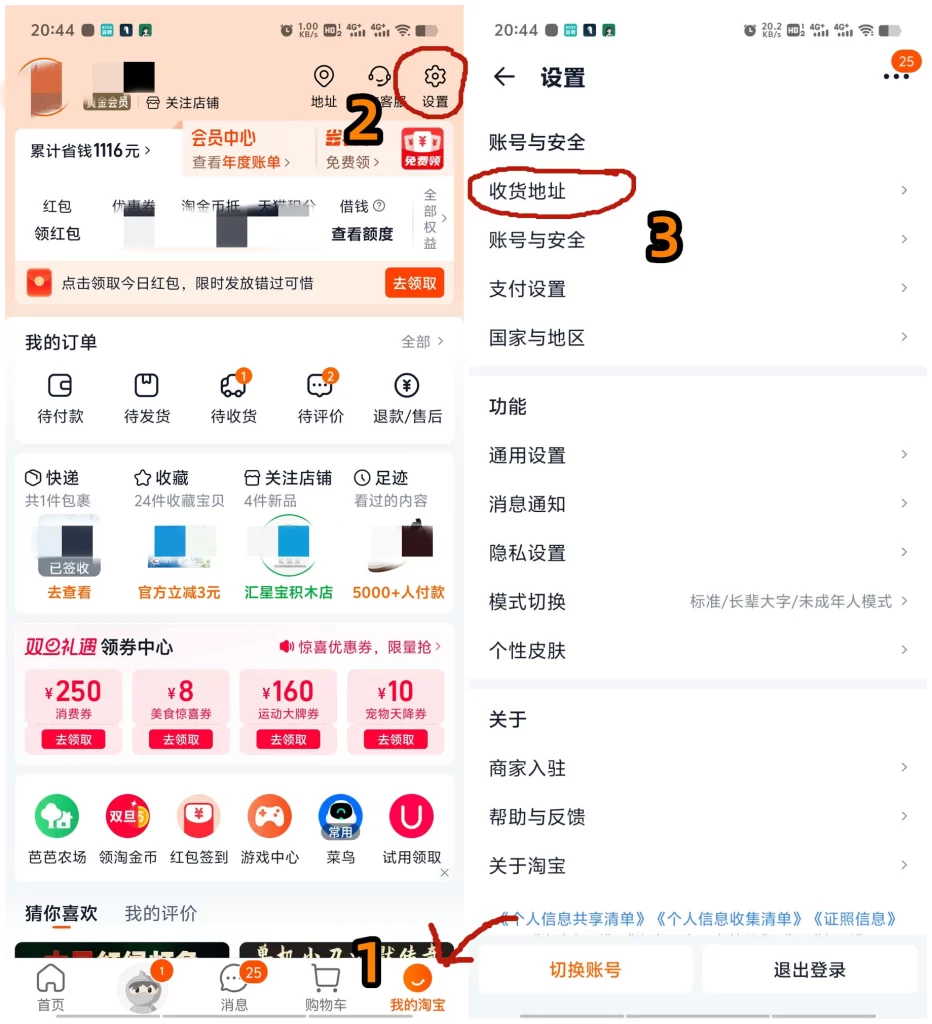
Now, click Create a New Address.
Simply tap “Add Shipping Address/新增地址” to open the address input window.
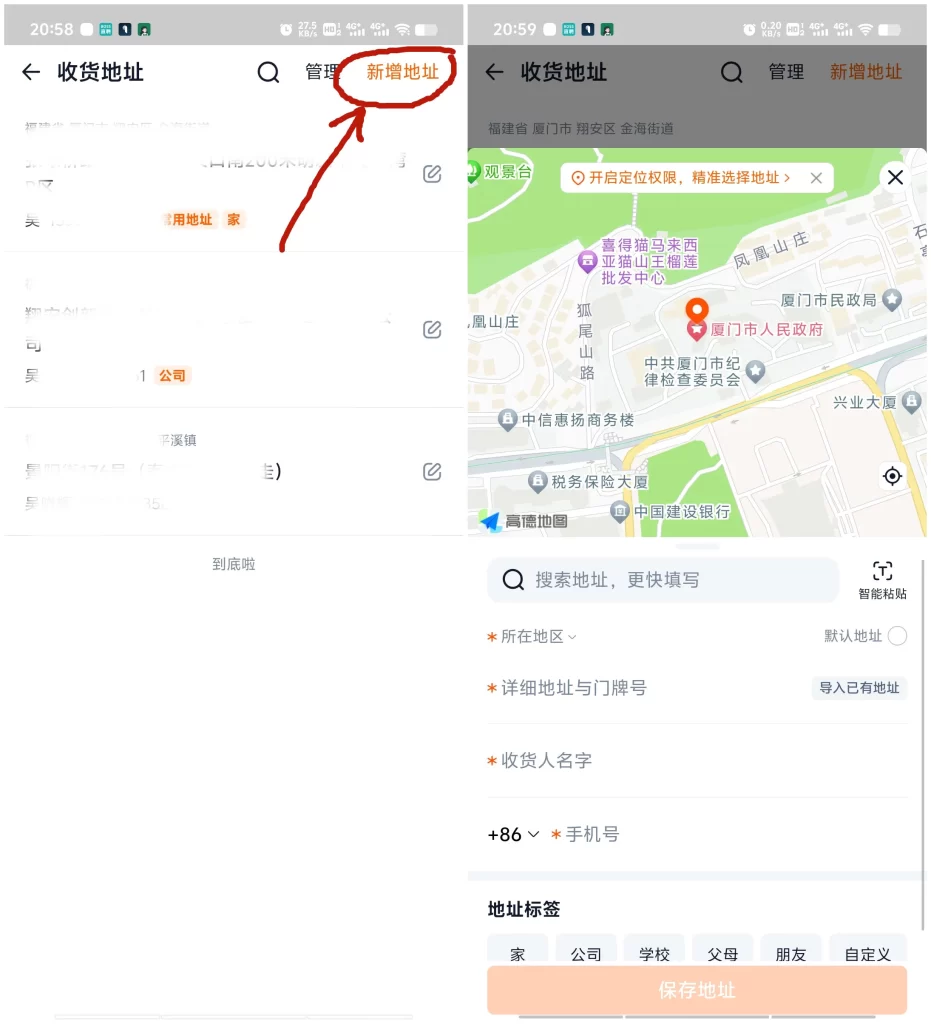
Fill in the Address According to Chinese Address Requirements
- Click the “Location/所在地区” field.
In the pop-up window, change the location to “Mainland China/中国内地(大陆)”, which is the first option on the left.

- Select Province / Region based on the warehouse address you received.
For example, the GoNest warehouse is located in Guangdong Province, so scroll down and select Guangdong/广东省.
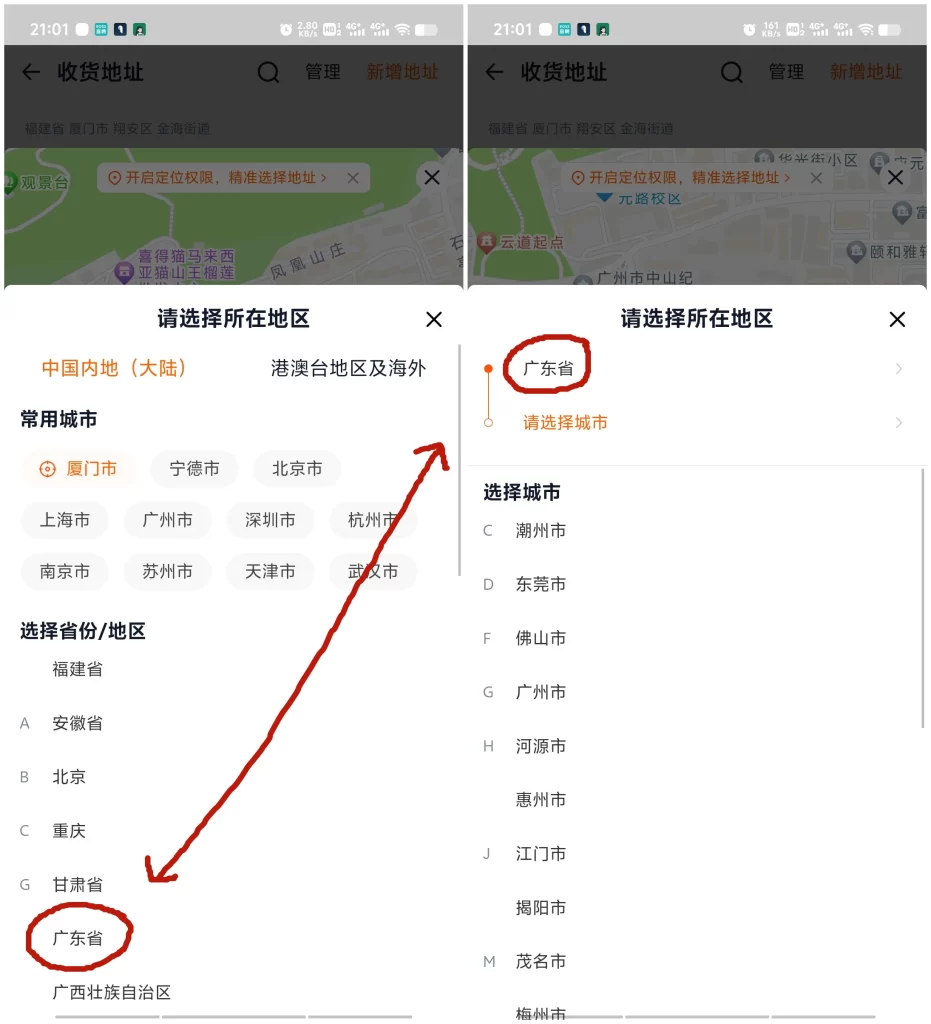
- Select City according to the warehouse address.
For GoNest, the city is Huizhou/惠州市, so scroll and select it.
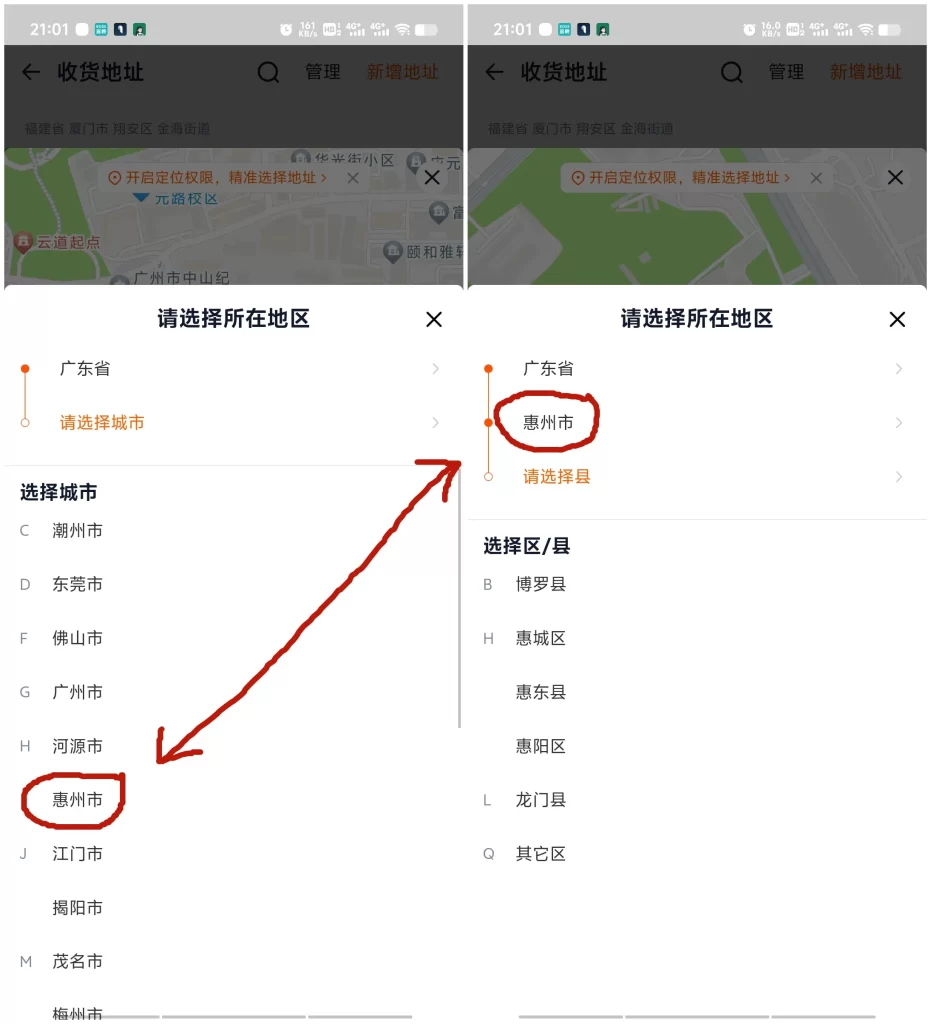
- Select District / County.
For GoNest, the district is Boluo County/博罗县. Choose the first option.
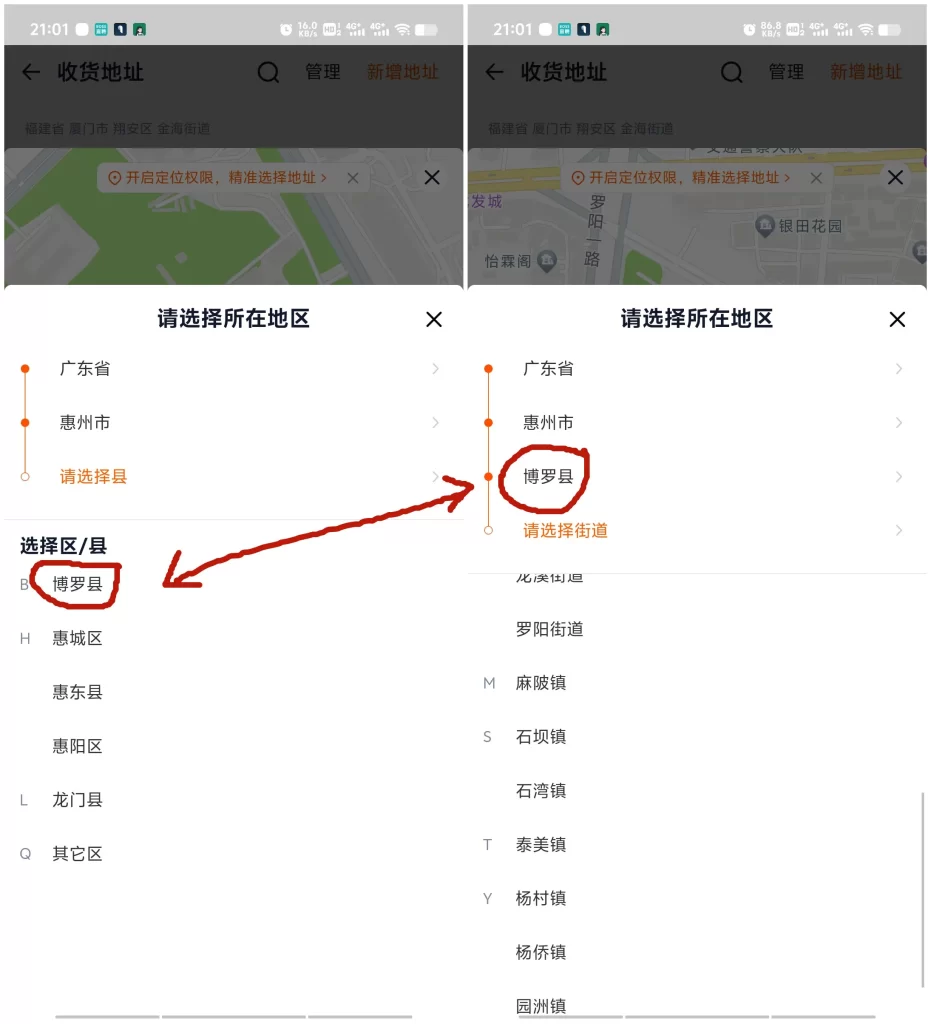
- Select Street / Town.
Based on the actual warehouse address, choose the correct street or town.
For GoNest, this is Shiwan Town/石湾镇. Scroll down and select it.
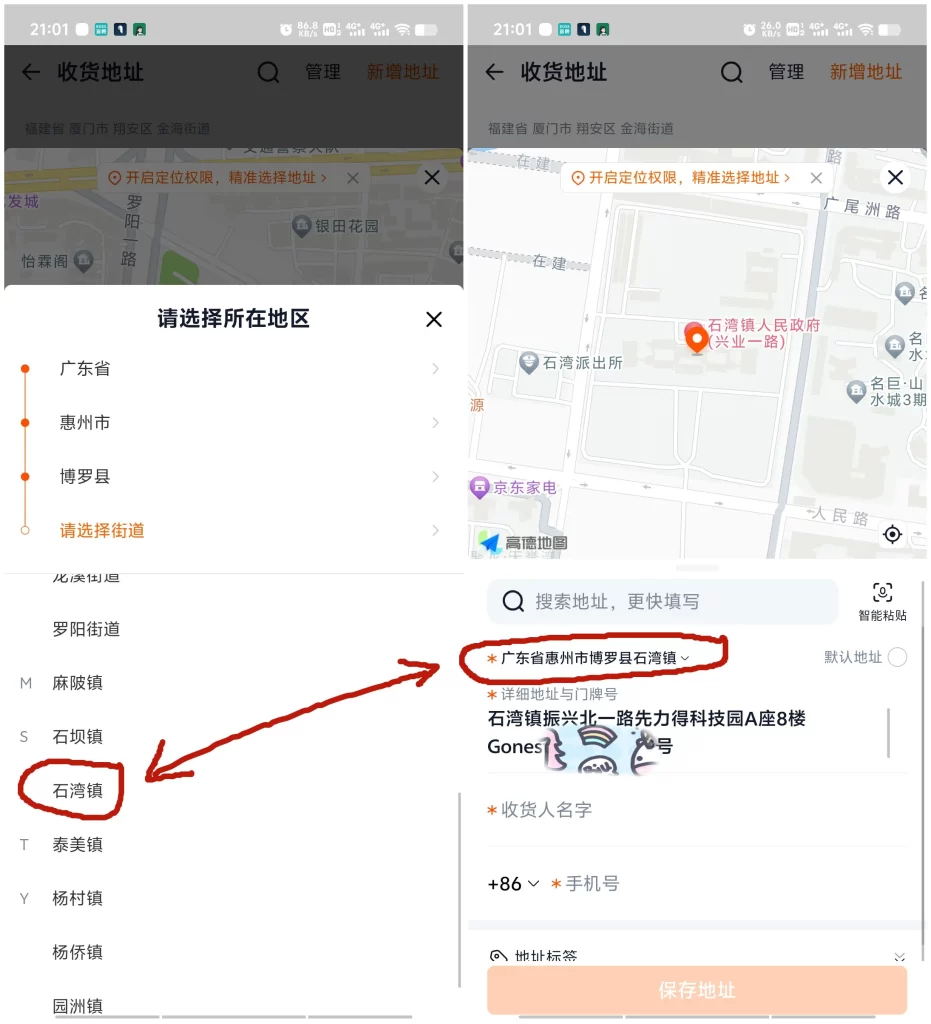
Now that you’ve completed the regional selection, you still need to enter the detailed street address, which usually includes the building or door number after the town or street.
For example, copy the GoNest warehouse address directly from the GoNest website and paste it here:
- Copy the address from the GoNest website
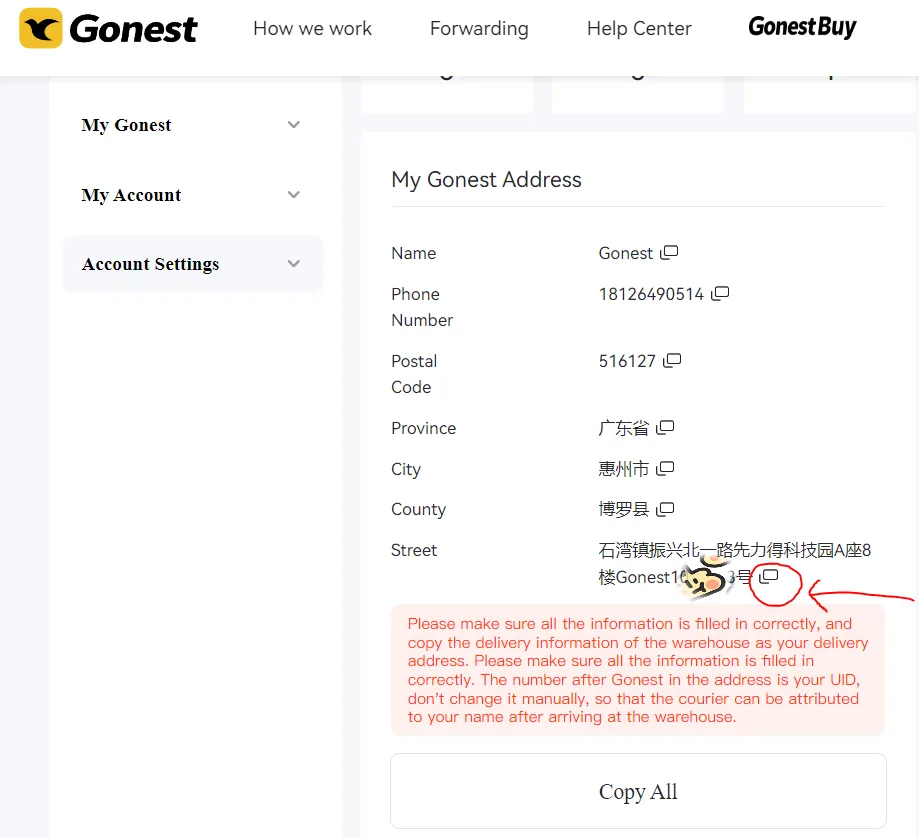
- Paste the copied address into this field
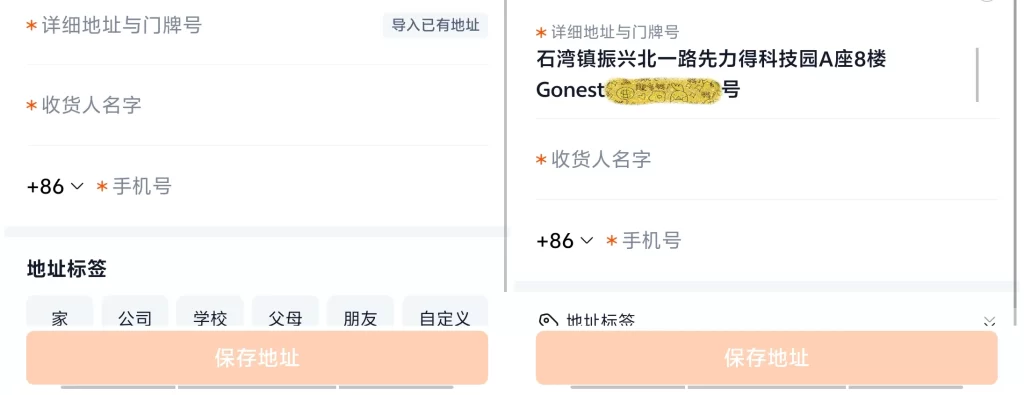
Recipient Information
- Recipient Name: Enter your freight forwarder’s name.
For GoNest, simply fill in “GoNest”. - Phone Number:
Enter +86, followed by an 11-digit Chinese mobile number starting with 1.
For example: 18126490514.
Once you complete all steps according to this guide, your address should look like the final example shown.
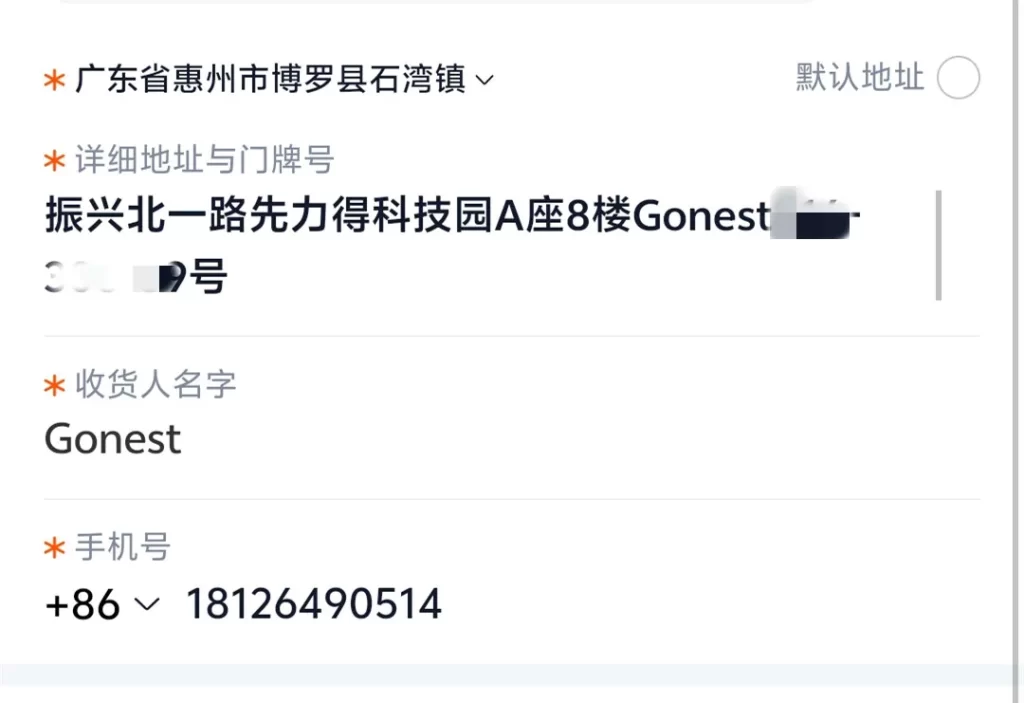
The blurred sections represent your personal information. This setup ensures our warehouse staff can receive your package smoothly.
If you are unsure whether the address is filled in correctly, please take a screenshot of this page and contact our customer support for confirmation.
The One-Second Way to Fill Out a Taobao Address
Let’s return to the Taobao shipping address page again.
Locate the button next to the search bar, as shown in the image.

Click it, and a new input box will appear.
Now, copy the entire warehouse address exactly as provided, without changing a single character.
For example, copy the full address directly from the GoNest website.
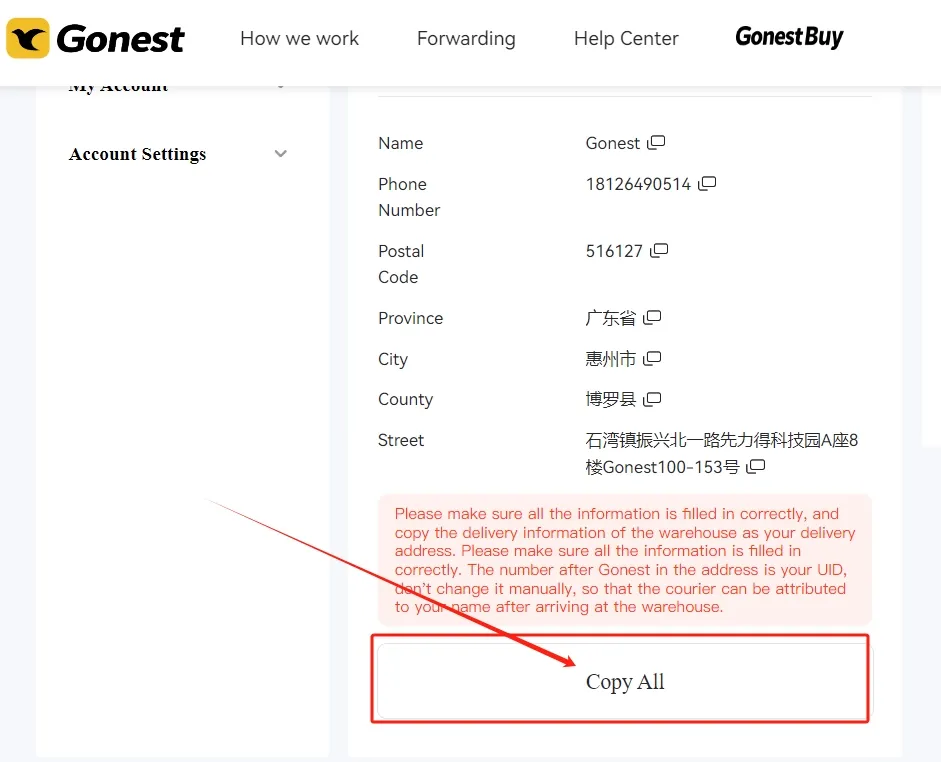
Paste it into the input box.
Finally, click the orange button in the bottom-right corner.
Once the page closes, your Taobao address will be filled in automatically.
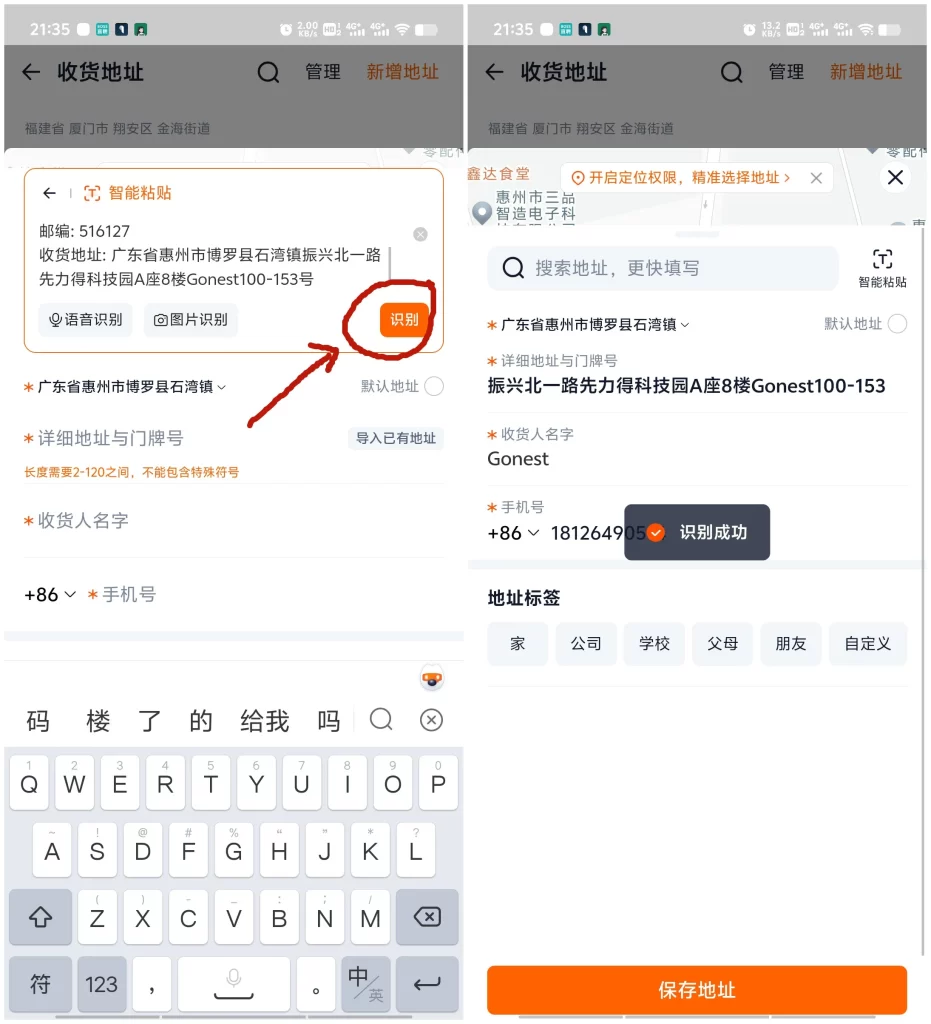
Simply click Save, and you’re done.
Pros and Cons of the Two Taobao Address Methods
Method One: Manual Address Entry
Pros:
- Helps you understand the structure of Chinese addresses
- Familiarizes you with the Taobao address input process
Cons:
- Requires manually splitting province, city, district, and street information
- Difficult for beginners
- High risk of selecting incorrect address details
Method Two: One-Click Address Paste
Pros:
- Extremely convenient
- Smart auto-recognition reduces the risk of errors
- No need to understand Chinese address structure
Cons:
- The address must be copied 100% accurately
- Any typo may result in an incorrect address
Which Taobao Address Method Do We Recommend?
When comparing both methods, we strongly recommend the second option.
It significantly lowers the learning curve, and GoNest provides a one-click copy button, ensuring accuracy and ease of use.
Additionally, our customer support team can double-check your address, guaranteeing that your Taobao address is filled in correctly.
How to Get Your GoNest Warehouse Address
Simply register an account on the GoNest website, and we will automatically assign you a personal warehouse address.
You can register using:
- Google account
After registration, go to your personal dashboard, where you can view your assigned warehouse address at any time.
How Does GoNest Receive Your Taobao Packages?
All Taobao orders you purchase will be delivered directly to our warehouse.
We identify and receive your package using the UID number included in your address.
Once the package arrives and passes inspection, it will be registered in your GoNest account under your unique UID.
If you have any additional questions, please feel free to contact our live customer support team.
They will be happy to help you resolve any issues related to Taobao shipping, address setup, or package forwarding.
